How Text-to-Speech Can Improve Productivity at Work: A Practical Guide
Modern work often involves more reading than there is uninterrupted time to handle. Reports, emails, research, meeting notes, articles, and internal documents can quickly pile up alongside everyday tasks and meetings.
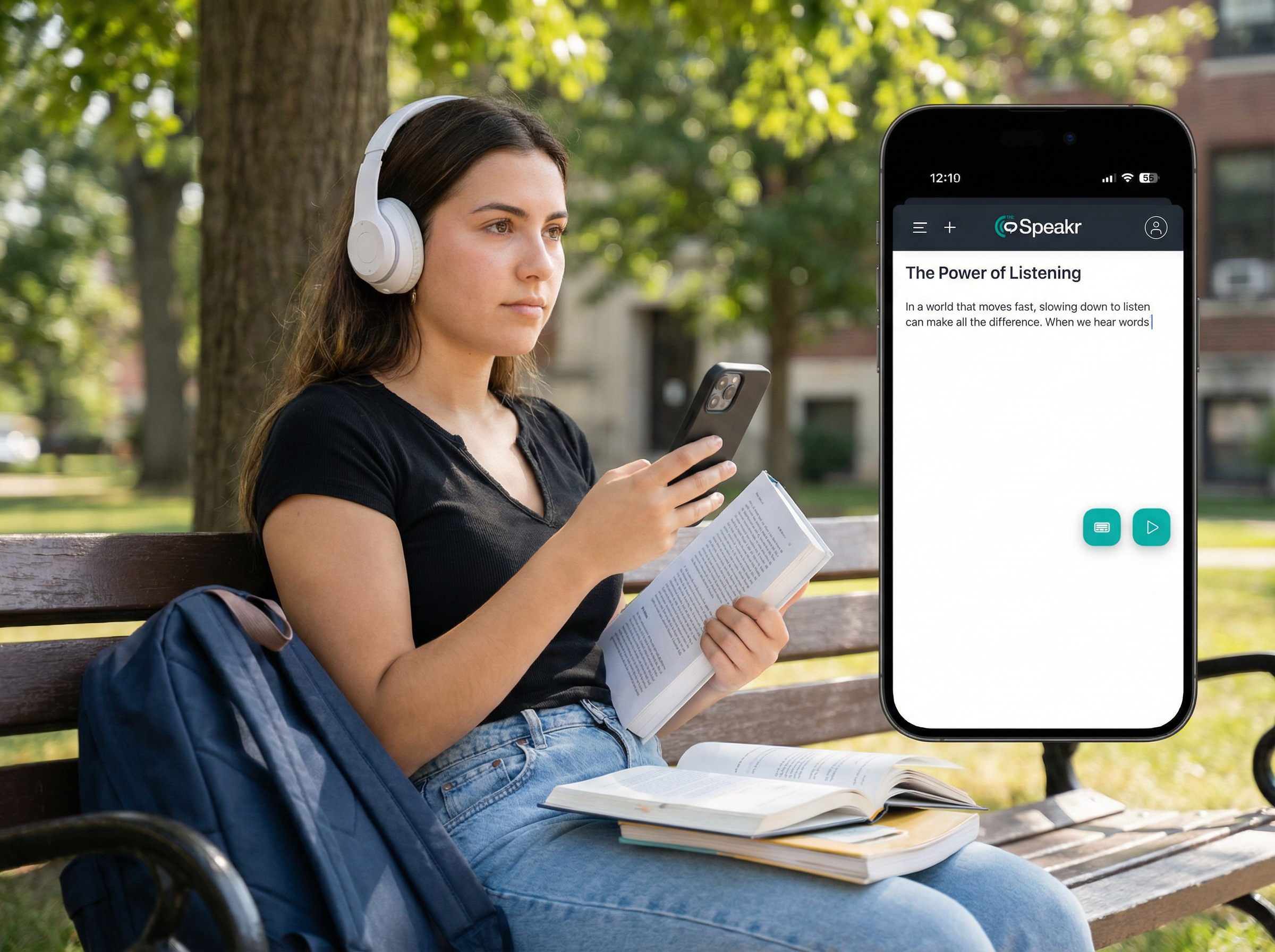
Text-to-speech, or TTS, offers another way to work through some of that written information by converting text into spoken audio. Instead of relying only on screen-based reading, professionals can listen to suitable content while reviewing documents, preparing for meetings, proofreading their own writing, or working through longer materials.
TTS is not a replacement for careful reading in every situation. Some tasks still require close visual attention, especially when working with tables, charts, contracts, source code, or other detail-heavy content. Its value comes from knowing when listening can complement reading and make a workflow more flexible.
How Can Text-to-Speech Improve Productivity at Work?
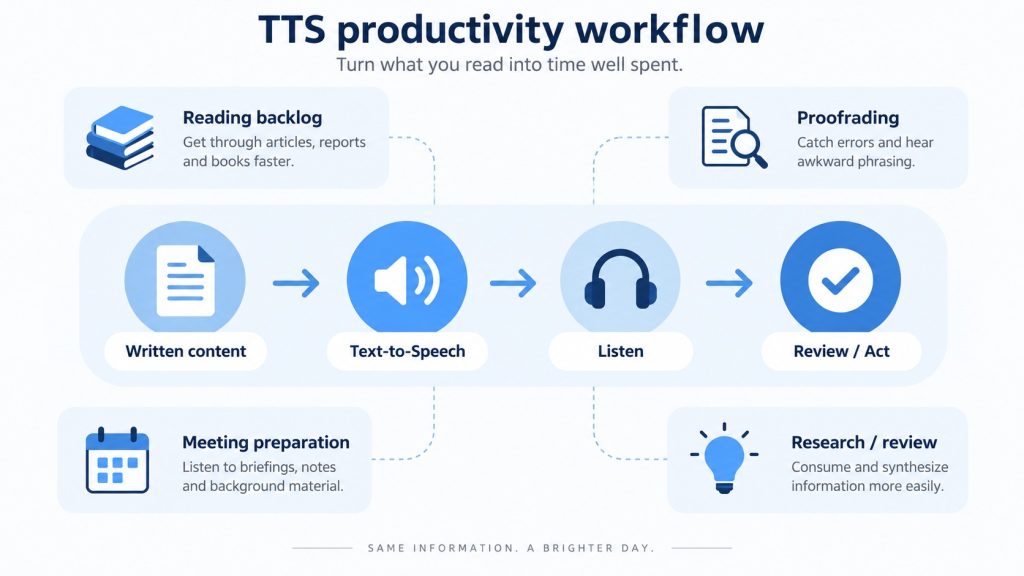
The main productivity benefit of text-to-speech is flexibility. It allows some tasks that normally require continuous screen-based reading to be handled through audio instead.
In practice, professionals can use TTS to:
- Work through reports, articles, PDFs, and other reading-heavy materials by listening.
- Review suitable documents when sitting in front of a screen is inconvenient.
- Proofread their own writing by listening to how it sounds.
- Listen to online articles, internal updates, and other written content.
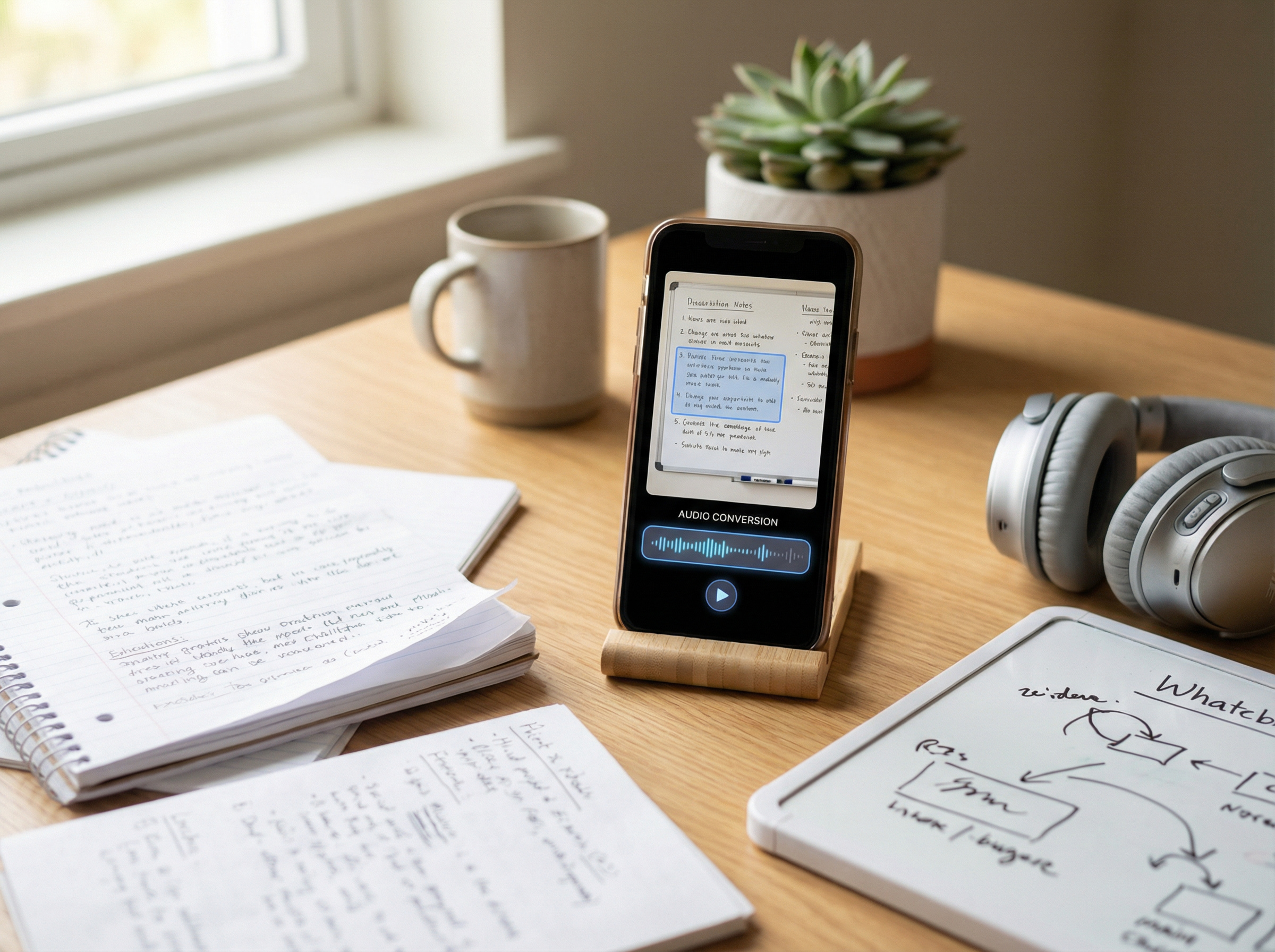
- Convert text from screenshots, photos, and scanned documents into speech using OCR.
- Adjust the playback speed to suit the material and listening preferences.
- Combine listening with visual review when a document requires both general understanding and closer attention to specific details.
The important qualification is that these benefits depend on the task. Listening to an industry article while taking a walk is very different from reviewing a spreadsheet, table, contract clause, or other material where exact details need to be checked visually.
TTS is most useful when it gives you a practical alternative to screen-based reading without removing the need for careful review where accuracy and visual context matter.
Turn Part of Your Reading Backlog Into Audio
Long reading lists are a common challenge for professionals. Reports, newsletters, policies, articles, meeting notes, research materials, and other documents can accumulate faster than there is time to review them.
Text-to-speech can make some of this material easier to work through by converting written content into audio. Instead of setting aside another uninterrupted block of screen time, you can listen to suitable materials when audio is a practical alternative.
This works particularly well for relatively linear content that can be followed from beginning to end without relying heavily on charts, formulas, tables, or visual comparisons.
Examples include:
- industry newsletters
- company updates
- meeting summaries
- general reports
- policy explanations
- long-form articles
- background research
- first drafts
The goal is not necessarily to replace reading. In many cases, listening can serve as a useful first pass before returning to important sections for closer visual review.
Use Low-Attention Time for Review
Text-to-speech can make it possible to review suitable written content during activities that do not require your full attention. However, trying to combine two demanding tasks at the same time is unlikely to make either one more productive.
A more practical approach is to listen during simple activities that leave enough attention available for the content. For example, you might listen to an industry article while walking, review meeting notes during a commute on public transportation, or listen to a draft while completing a simple routine task.
The distinction is useful:
High-attention work: writing, analyzing data, making decisions, comparing evidence, or reviewing detailed information.
Lower-attention activities: walking, organizing files, waiting, routine preparation, or other simple tasks that do not require substantial concentration.
TTS is generally better suited to the second situation.
If you find yourself frequently rewinding because your attention is focused elsewhere, listening is probably not making the workflow more efficient. In that case, it may be better to give the material your full attention.
Proofread Your Writing by Ear
Proofreading is one of the most practical workplace uses for text-to-speech. When you read your own writing repeatedly, familiarity can make certain problems harder to notice. Hearing the same content spoken aloud provides a different way to review how the text sounds and flows.
TTS can help you notice:
- missing words
- repeated words or phrases
- awkward sentences
- unnecessary repetition
- overly long sentences
- unnatural transitions
- confusing wording
- problems with pacing and flow
This can be useful for reports, proposals, emails, presentations, articles, policies, and other written materials. For proofreading, faster playback is not always better. A normal or slightly slower speaking speed can make awkward wording and missing words easier to notice. TTS should complement rather than replace a final visual review. Spelling, formatting, links, numbers, citations, and page layout may still require careful inspection on screen.
Reduce Continuous Screen Reading
Text-to-speech can also move part of a screen-heavy reading workflow into audio. This does not mean that TTS prevents or treats eye strain. It simply gives you the option to listen to suitable written content instead of continuously reading it from a display.
A 2026 systematic review of occupational studies found that longer daily exposure to video display terminals was among the factors associated with ocular and visual symptoms. The review also identified breaks, appropriate workstation design, and ergonomic improvements as protective factors, while noting substantial differences between the studies included.
For suitable documents, TTS can therefore provide another way to reduce the amount of continuous visual reading within a broader workflow. It should be viewed as a practical format option alongside normal workplace measures such as taking breaks and maintaining appropriate ergonomics.
Provide Another Way to Access Written Information
Productivity can also depend on whether employees can access information in a format that works for them. Text-to-speech can provide a spoken alternative to written content. The U.S. Equal Employment Opportunity Commission includes text-to-speech software among examples of assistive technologies that may be used as workplace accommodations for people with visual disabilities. Its guidance also mentions OCR technology as a way to make printed information available in digital formats.
W3C guidance also notes that some people with cognitive, language, and learning disabilities use text-to-speech software to convert written text into synthetic speech.It is important to distinguish a general TTS tool from a screen reader. Both can produce spoken output, but a screen reader is a broader assistive technology designed to help users navigate and interact with digital interfaces. A TTS tool is primarily focused on converting available text into speech.
For businesses, TTS can therefore provide an additional way to access written information, but it should not be treated as a complete accessibility solution on its own.
Which Work Tasks Are Best for Text-to-Speech?
Not every work task is equally well suited to text-to-speech. TTS tends to work best with linear, text-heavy content that can be understood without constantly referring to visual elements. Materials that depend on tables, charts, formatting, precise values, or spatial relationships usually require more visual attention. A practical approach is to decide whether a task is best suited to listening, visual review, or a combination of both.
| Work material | Usually works best as | Why |
| Industry newsletter | Listen | Usually linear and easy to follow without visual reference |
| Long report, first pass | Listen or hybrid | Audio can provide an overview before closer review |
| Research paper | Hybrid | Narrative sections may work well in audio, while tables, figures, citations, and detailed findings often need visual review |
| Meeting notes | Listen | Useful for reviewing discussions, decisions, and action items |
| Draft proposal | Hybrid | Listen for wording and flow, then review facts, formatting, and details visually |
| Routine internal update | Listen | Usually short, sequential, and primarily text-based |
| Spreadsheet | Read | Values, rows, columns, and relationships between data require visual context |
| Source code | Read | Syntax, indentation, symbols, and structure are primarily visual |
| Contract | Hybrid | Listening can support an initial or additional review, but exact wording and individual clauses should be checked visually |
| Scanned memo | Hybrid | OCR can make the text available for listening, but important details should be checked against the original |
| Confidential client document | Depends on approval | Privacy, confidentiality, and company policies should be checked before the document is processed by a TTS service |
This is a practical framework rather than a fixed rule. The right approach depends on the type of content, why you are reviewing it, and how important it is to verify individual details.
As a simple rule of thumb, TTS is most useful when the goal is to understand or review the general content. A visual or hybrid approach is usually better when exact wording, numbers, formatting, charts, tables, or other visual details are essential.
How to Build a TTS Workflow Into Your Workday
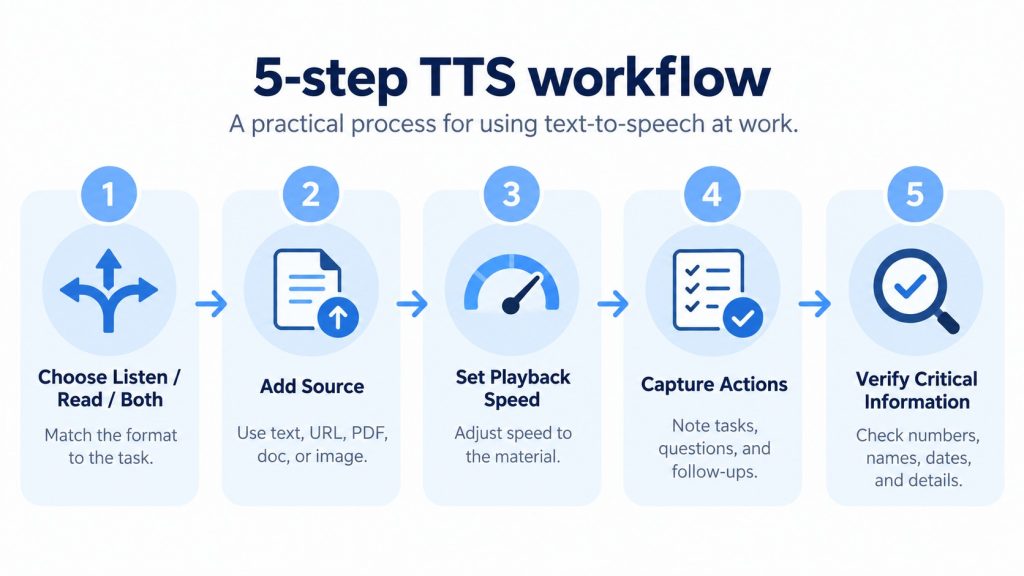
A productive TTS workflow does not need to be complicated. The easiest way to start is to choose one type of written material that already takes up a meaningful amount of your time and test whether listening makes that task easier to manage.
1. Decide Whether to Listen, Read, or Use Both
Before converting a document to speech, consider how you actually need to use the information. Ask yourself:
- Is the content mostly linear?
- Do I need to examine tables, charts, or graphics?
- Am I looking for general understanding or exact details?
- Would an error have meaningful consequences?
- Will I need to quote or reference the document repeatedly?
- Is the material sensitive or restricted?
If the content is mostly linear and your goal is to understand the main ideas, listening may be a good fit. If visual structure, precise wording, or detailed comparisons are important, reading is usually more appropriate. For many reports, research papers, and business documents, a hybrid approach works well: listen for an overview, then return to important sections for closer review.
2. Add the Source Material
A TTS workflow can begin with several common types of content:
- typed or pasted text
- a webpage URL
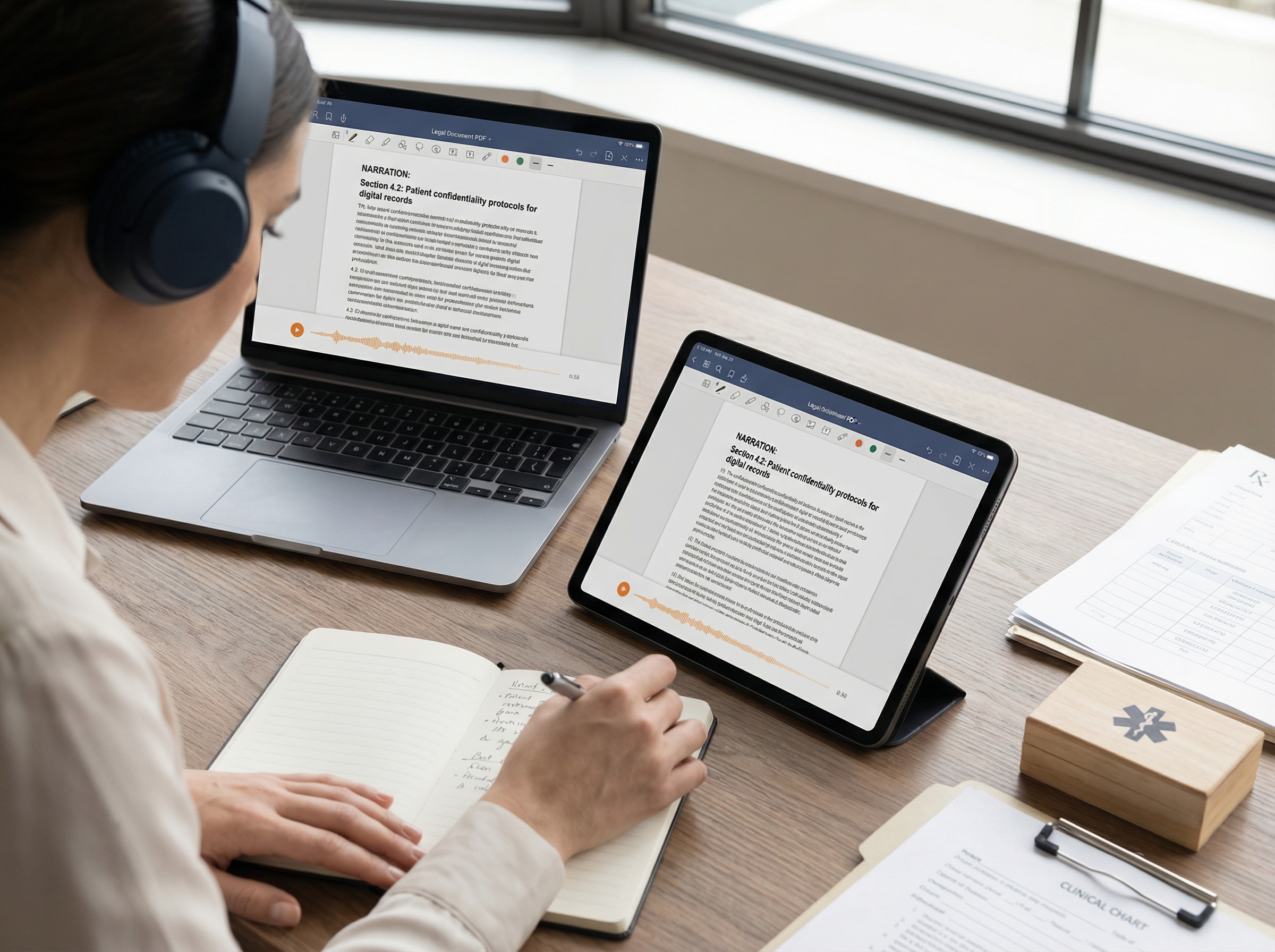
- a PDF
- a Word document
- a plain-text file
- a screenshot
- a photo containing text
- a scanned PDF processed with OCR
Choose the option that requires the least unnecessary preparation. For example, using a webpage URL can be convenient when reviewing long articles or research pages, while document uploads are more practical for reports and PDFs. For screenshots, photos, and scanned documents, OCR can extract the visible text before it is converted into speech.
3. Match Playback Speed to the Task
There is no single playback speed that works best for productivity. The right setting depends on the complexity of the material, how familiar you are with the subject, and how closely you need to follow the details.
| Task | Practical starting approach |
| Routine company update | Faster playback may be comfortable |
| Familiar article | Moderately faster playback |
| New technical subject | Normal or slower |
| Legal or financial material | Slower, with visual verification |
| Proofreading | Normal or slower |
| Tables or code | Visual review is usually more appropriate |
Increase the speed gradually rather than starting as fast as possible. If you repeatedly rewind, miss important ideas, or realize that you heard the words without processing their meaning, the faster setting is no longer saving time.
4. Capture Actions and Important Details
Listening can become passive if there is no clear purpose behind it. For material that matters, use the audio to identify information you need to act on or revisit, such as:
- action items
- decisions
- questions
- topics to investigate
- sections to review again
- deadlines
- important facts
The goal is not simply to finish the audio. It is to come away with the information or next steps you actually need.
5. Verify Critical Information
Audio can be useful for understanding the overall content, but important details should still be checked against the original source before you act on them. This is especially important for:
- numbers
- dates
- names
- currencies
- percentages
- technical terminology
- citations
- contractual language
- text extracted with OCR
A practical approach is to use TTS for understanding and review, then return to the original document whenever accuracy matters. This keeps the flexibility of listening without sacrificing the precision that some workplace tasks require.
What About Confidential Work Documents?
The convenience of text-to-speech should never come before your organization’s information-security requirements. Before uploading sensitive work material to any online TTS service, consider both the content of the document and whether the tool is approved for that type of information.
Check factors such as:
- your employer’s information-security policies
- the sensitivity and classification of the document
- whether the TTS service is approved for the intended use
- the provider’s privacy policy and data-handling practices
- how uploaded content may be processed, stored, or retained
- whether third-party service providers may be involved in processing the data
A simple risk-based approach can help:
| Material | Practical approach |
| Public webpage or published article | Generally suitable for standard TTS workflows |
| Public report | Generally lower sensitivity |
| Internal non-sensitive document | Check company policy before uploading |
| Client document | Confirm authorization and use approved tools |
| Personal data | Follow applicable data-handling requirements |
| Confidential contract | Use only systems approved for confidential material |
| Restricted or regulated information | Follow organizational, contractual, and legal requirements first |
The key point is that a document being technically compatible with a TTS tool does not automatically mean it is appropriate to upload. For confidential, regulated, or commercially sensitive material, company-approved systems and internal security rules should take priority over convenience.
Final Thoughts
written content. It can be useful for reports, articles, meeting notes, research, drafts, PDFs, scanned documents, and other text-heavy materials that do not always require constant visual attention.
The biggest benefit comes from using TTS selectively. Listening works well for getting an overview, reviewing familiar material, proofreading, or working through long-form content, while detailed tables, contracts, spreadsheets, and other precision-heavy tasks still benefit from visual review.
A practical workflow is to combine both approaches: use TTS where audio makes the task more flexible, then return to the original source whenever exact wording, numbers, formatting, or visual context matters.
Frequently Asked Questions
Can text-to-speech improve productivity at work?
Yes, text-to-speech can improve productivity when it converts suitable written material into a more flexible listening workflow. It can be especially useful for reports, articles, newsletters, meeting notes, and proofreading. The benefit depends on the task because visual reading is still more appropriate for tables, code, detailed comparisons, and other visually structured information.
What work tasks are best for text-to-speech?
TTS is particularly well suited to linear material such as reports, articles, newsletters, meeting notes, internal updates, policies, and drafts. It can also be useful for proofreading. Complex spreadsheets, code, equations, charts, and documents requiring frequent visual cross-referencing are generally better read visually.
What is the best text-to-speech speed for work?
There is no single ideal speed. Familiar and low-risk material may be comfortable at a faster playback rate, while technical, unfamiliar, legal, or detail-heavy material may require normal or slower playback. If faster playback causes frequent rewinding or missed information, it is unlikely to improve productivity.
Can text-to-speech read work PDFs?
Text-based PDFs can often be processed directly by TTS software that supports document uploads. Scanned PDFs contain images of text and may require OCR first. OCR quality and PDF reading order should be checked when exact information matters. W3C recommends verifying that OCR-converted PDF text is complete and follows the intended reading order.