How Text-to-Speech Can Help With Research: A Practical, Evidence-Aware Workflow
Research often involves working through large amounts of written material, including academic papers, reports, webpages, PDFs, notes, and background reading. Text-to-speech, or TTS, can make part of that process more flexible by converting suitable written content into spoken audio.
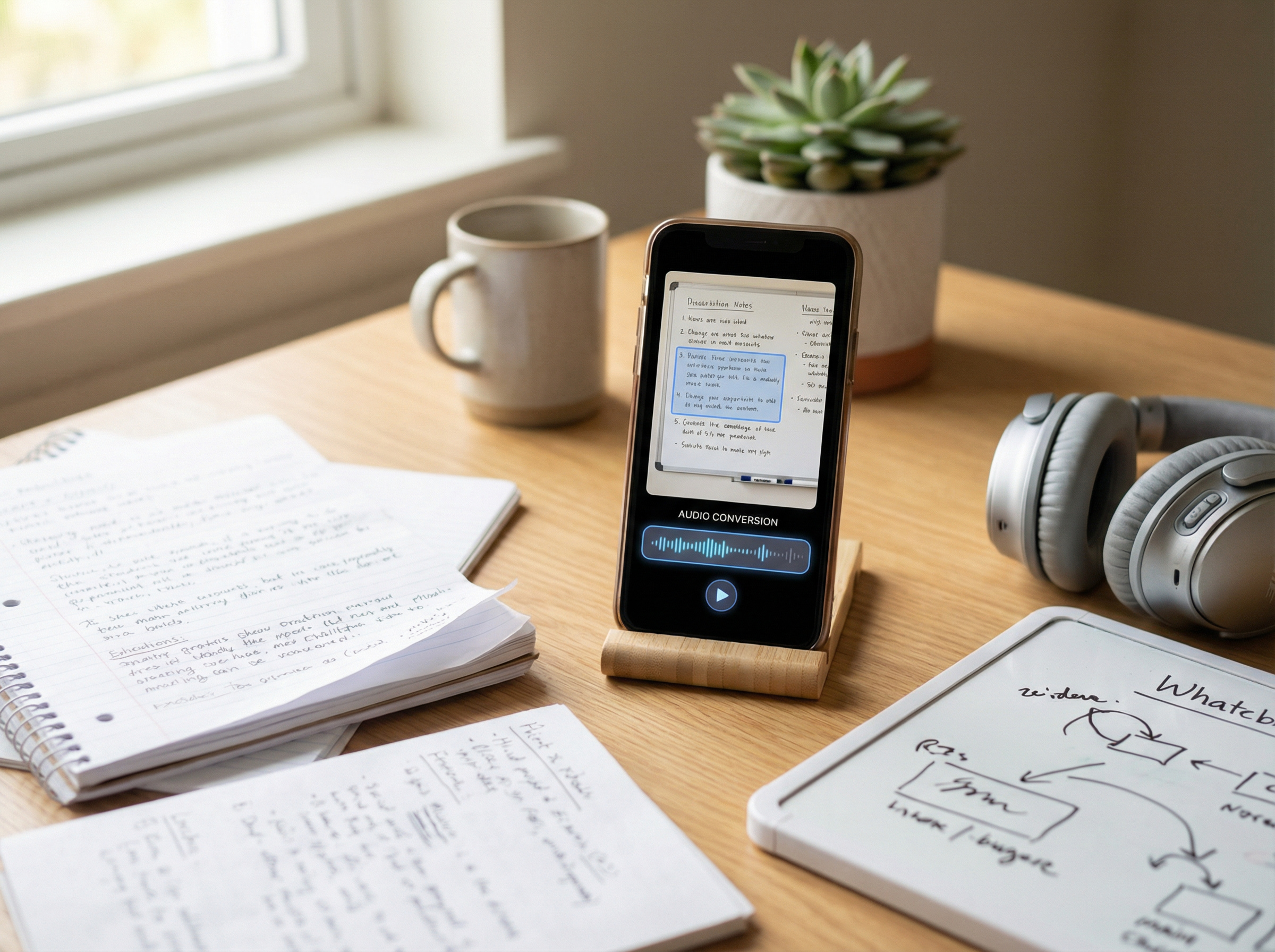
Instead of relying only on screen-based reading, researchers and students can listen to articles, reports, or selected sections of longer documents while following the original text, reviewing familiar material, or deciding which sources deserve closer attention. TTS can also be useful with scanned or image-based documents when OCR is available to extract the text first.
However, listening is not a replacement for careful source evaluation. Tables, figures, citations, numerical data, methodology, quotations, and exact wording often require visual review, and important claims should always be checked against the original source.
Where Text-to-Speech Fits Into a Research Workflow
Research rarely requires every source to be read line by line from beginning to end. A literature review may involve dozens or even hundreds of papers, reports, and other sources. Some require close analysis, while others only need enough attention to determine whether they are relevant.
TTS can support several stages of this process. It can help with initial source screening, reviewing material you have already read, revisiting notes or summaries, and preparing to discuss or write about research. It is most useful when listening complements close reading rather than replaces it.
Screen Research Sources More Efficiently
One practical use of TTS is first-pass screening. After reviewing a paper’s title, abstract, keywords, and headings, you can listen to prose-heavy sections such as the introduction or discussion to get a better sense of whether the source is relevant to your research question.
During this first pass, you might listen for answers to questions such as:
- Does this source address my topic directly?
- What problem are the authors examining?
- What is the main argument or research question?
- Is the source likely to contain evidence I need?
- Does this paper deserve a closer review?
The goal is not to capture every detail from the audio. Instead, TTS can help you decide which sources deserve more of your limited close-reading time and which can be set aside.
Review Research Away From the Screen
TTS can also make it easier to revisit sources you have already selected. After reading a paper closely, for example, you might listen to parts of the introduction, discussion, or conclusion again to reinforce the main ideas. Research notes, summaries, and other text-heavy material can also be reviewed before a class, meeting, or writing session.
Listening may also be convenient while walking, commuting, or doing a simple task, particularly when reviewing material you already understand. However, this works best when the content does not require constant reference to visual details.
Tables, figures, statistical results, quotations, citations, and unfamiliar methodologies generally require closer visual attention. In these cases, TTS can support an initial or follow-up review, but the original source should remain available whenever exact wording, data, or visual information matters.
Reduce Barriers to Dense Written Material
Text-to-speech can also make dense research material easier to access for some readers, particularly when decoding or sustained visual reading creates an additional barrier. Research involving students with reading difficulties has found that TTS and related read-aloud tools can support comprehension in some circumstances, although the benefits vary considerably between individuals.
More recent research reinforces that distinction. A 2026 study found different effects depending on the learner: students with ADHD-related reading difficulties showed improved comprehension, while students with dyslexia completed reading with less time and effort while maintaining similar comprehension. Typically developing readers did not show the same comprehension benefit.
TTS should therefore be treated as an adaptable access option rather than a universal way to improve comprehension. Its value depends on the reader, the material, and the task being performed.
Proofread Your Research Writing
TTS can also be useful after the research and drafting stages. Listening to a literature review, thesis chapter, report, article, or other draft can make missing words, repeated phrases, awkward sentences, and unclear transitions easier to notice because you hear the text rather than relying only on how it looks on the page.
However, listening should complement rather than replace substantive editing. Research writing still needs careful review of the argument, structure, evidence, citations, factual accuracy, and connections between sections. TTS is particularly useful for detecting wording and flow problems, while higher-level revisions usually require a closer visual and analytical review of the draft.
What the Evidence Says About TTS and Comprehension
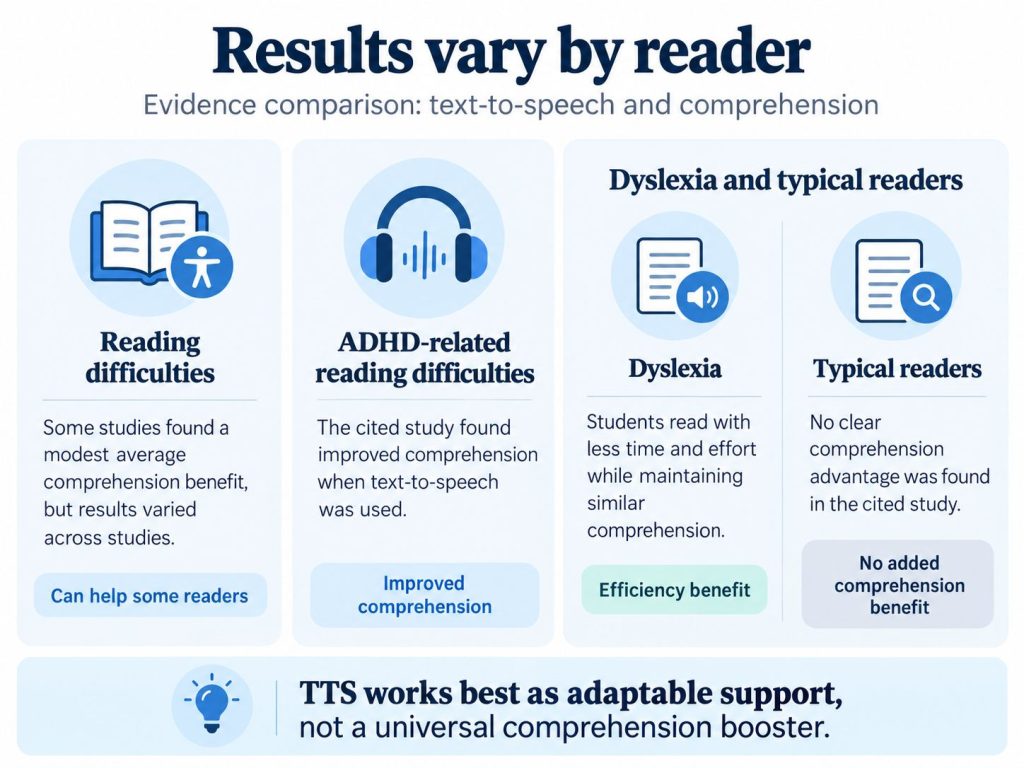
It is tempting to summarize text-to-speech with a simple claim such as “listening improves comprehension.” Research does not support such a broad conclusion. The outcome can depend on the reader, the material, the task, and how TTS is used.
| Study | Population | Main finding | What it means for research workflows |
| Wood et al. meta-analysis | Students with reading difficulties | TTS and related read-aloud tools produced an average weighted effect size of about 0.35 for reading comprehension, although results varied across studies | TTS may support comprehension for some readers with reading difficulties, but the finding should not be generalized to every reader or research task |
| Chen, Hung & Jian, 2026 | Junior-high students with dyslexia, ADHD-related reading difficulties, and typical reading development | TTS improved comprehension in the ADHD-related reading-difficulty group. Students with dyslexia read more efficiently while maintaining similar comprehension, while typically developing readers showed no comprehension benefit | Reader profile matters, so TTS is better treated as adaptable support than as a universal way to improve comprehension |
| Garrison, 2009 | 51 first-year college writers | TTS users were as likely as the control group to make proofreading changes but made fewer local and global revisions | TTS can support proofreading, but higher-level revision of argument, structure, and content still requires active editorial judgment |
The Wood et al. meta-analysis also found substantial variation across the included studies and emphasized the need for more research into the factors that influence TTS effectiveness. This is important because an average positive effect does not mean that every reader will experience the same benefit.
The 2026 study by Chen, Hung, and Jian provides a useful reminder for research workflows: adding audio is not automatically better. Different groups experienced different effects, and typically developing readers did not gain a comprehension advantage from TTS in that experiment. For research tasks, the practical question is therefore whether listening helps a particular person work with a particular type of material more effectively.
How to Use Text-to-Speech for Research Papers: 7 Steps
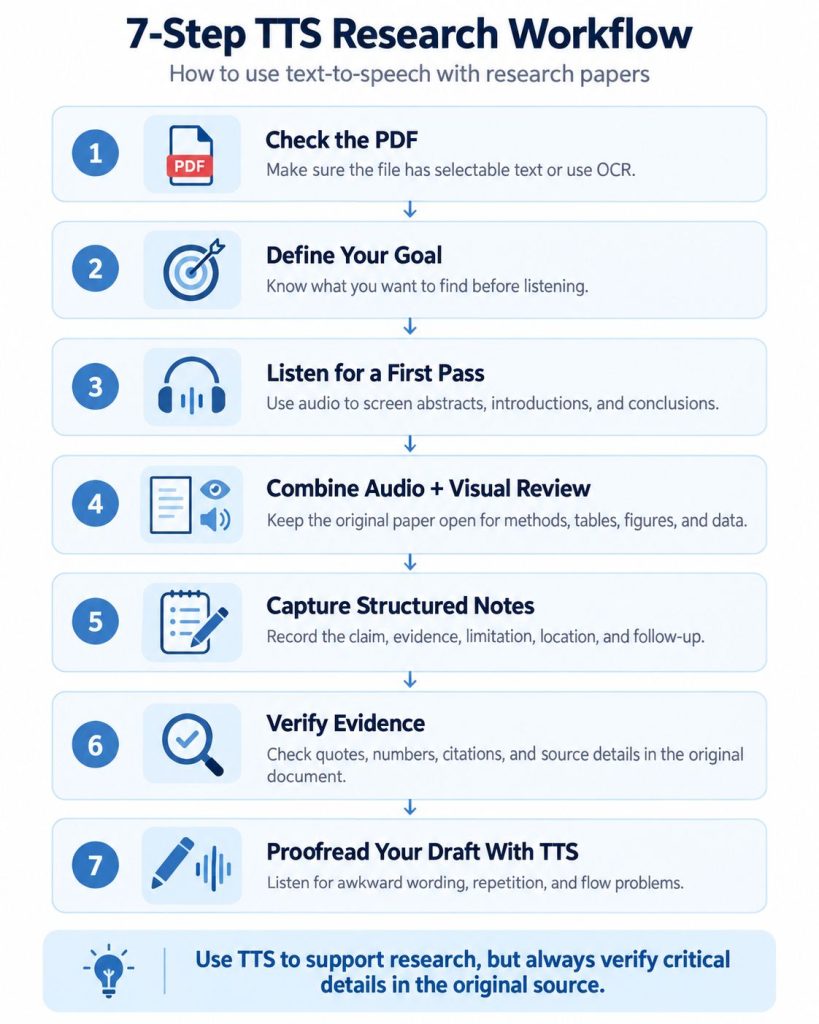
A good TTS research workflow should preserve one thing above all else: the connection between a claim and its original source. Audio can make research material easier to review, but quotations, data, citations, and important findings should always remain traceable to the original document.
Here is a practical seven-step process for using text-to-speech with research papers.
1. Check the PDF Before Listening
Before converting a research paper to speech, check whether the PDF contains usable text. Try selecting a sentence with your cursor. If you can select individual words, the document probably contains a text layer. If the entire page behaves like a single image, it may be a scanned PDF that requires optical character recognition (OCR).
OCR can convert text contained in scanned pages or images into machine-readable text, but recognition is not always perfect. Names, numbers, symbols, citations, and technical terminology may be misread, so important information should still be compared with the original document.
Also check the page layout before relying on the audio. Two-column journal articles, sidebars, footnotes, tables, captions, and other complex elements can affect extraction or reading order even when the PDF contains selectable text.
2. Decide What You Are Reading For
Before starting the audio, decide what you need from the paper. A clear research question or purpose makes it easier to recognize relevant information and prevents the listening session from becoming passive.
For example, you might be trying to determine:
- whether the paper belongs in your literature review
- what research question or problem it addresses
- which methodology the authors used
- whether the findings support a particular claim
- how the results compare with another study
- how the authors position their work within existing research
Your purpose should determine which sections deserve attention and which details you can leave for a closer reading later.
3. Use Audio for a First-Pass Review
For initial screening, start with sections that are generally well suited to continuous listening:
Abstract → Introduction → Discussion or Conclusion
Together, these sections can often help you understand:
- what question the paper addresses
- why the topic matters
- how the study relates to previous research
- what the authors report finding
- which limitations or implications they identify
If the paper is clearly not relevant to your research question, you may not need to continue through the entire document. If it appears useful, move to a deeper review and return to sections such as the methodology, results, tables, figures, and references in the original paper where visual inspection is more important.
4. Combine Listening With Visual Review for Dense Sections
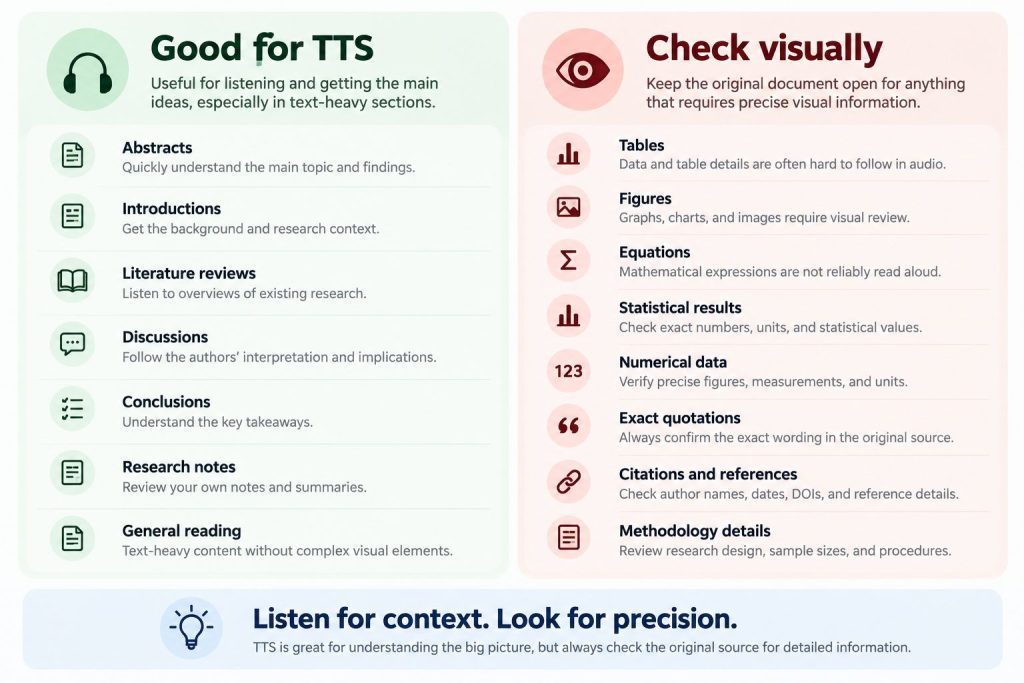
Methods and results usually require more attention than first-pass listening alone. For technically important passages, listen while following the original text, slow the playback when needed, and pause whenever the authors introduce an important variable, method, result, or limitation.
There is no single playback speed that works best for every research paper. A useful speed is one that still allows you to understand the argument, recognize the evidence supporting it, and notice when a claim requires closer inspection. Faster playback is only useful if comprehension remains intact.
Tables, figures, equations, statistical results, and precise numerical information should usually be reviewed directly in the original document. TTS can help you move through the surrounding explanation, while visual review provides the detail needed for accurate interpretation.
5. Capture Structured Research Notes
Listening becomes more useful when important information is converted into notes that can be traced back to the original source. Instead of recording only a general summary, capture the claim, supporting evidence, limitations, and where the information appears.
| Field | What to record |
| Claim | What is the author arguing or reporting? |
| Evidence | What finding, data, or source supports the claim? |
| Limitation | What reduces the strength or generalizability of the finding? |
| Location | Page, section, table, figure, paragraph, or another source marker |
| Follow-up | What still needs to be verified or investigated? |
The location field is particularly important because it allows you to return to the exact part of the source later. A useful observation becomes much harder to cite or verify if you cannot identify where it came from.
6. Verify Evidence in the Original Source
TTS can help you discover relevant evidence, but the original source should remain the reference point for anything you plan to quote, cite, or analyze. Before using a statement, number, quotation, or reference in your own work, return to the document and verify it visually.
Check details such as:
- exact quotation wording
- numbers and units
- sample sizes
- statistical results
- table and figure labels
- footnotes
- author names
- publication dates
- DOI or reference information
- whether the claim is actually supported by the cited source
A useful rule is to never cite from audio alone. Listening can help identify important passages, but citations and factual details should be taken from the original document.
7. Use TTS Again When Proofreading Your Draft
Once you have written your own paper, report, or literature review, TTS can be used again for a different purpose. Instead of listening to other researchers’ work, you can hear your own draft and evaluate how clearly it reads.
Listen for:
- repeated or missing words
- overly long sentences
- awkward wording
- unnatural transitions
- inconsistent terminology
- abrupt changes in argument
- passages that are technically correct but difficult to follow
After the listening pass, return to the written draft for higher-level revision. Check the logic of the argument, quality of the evidence, source use, paragraph structure, citations, and whether each conclusion is adequately supported.
Using TheSpeakr With Research Materials
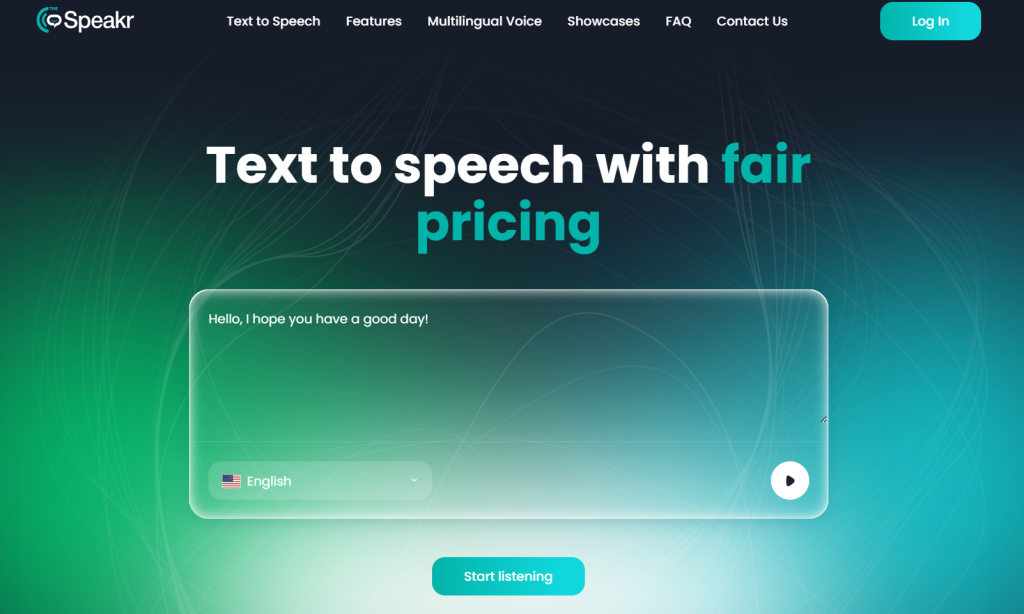
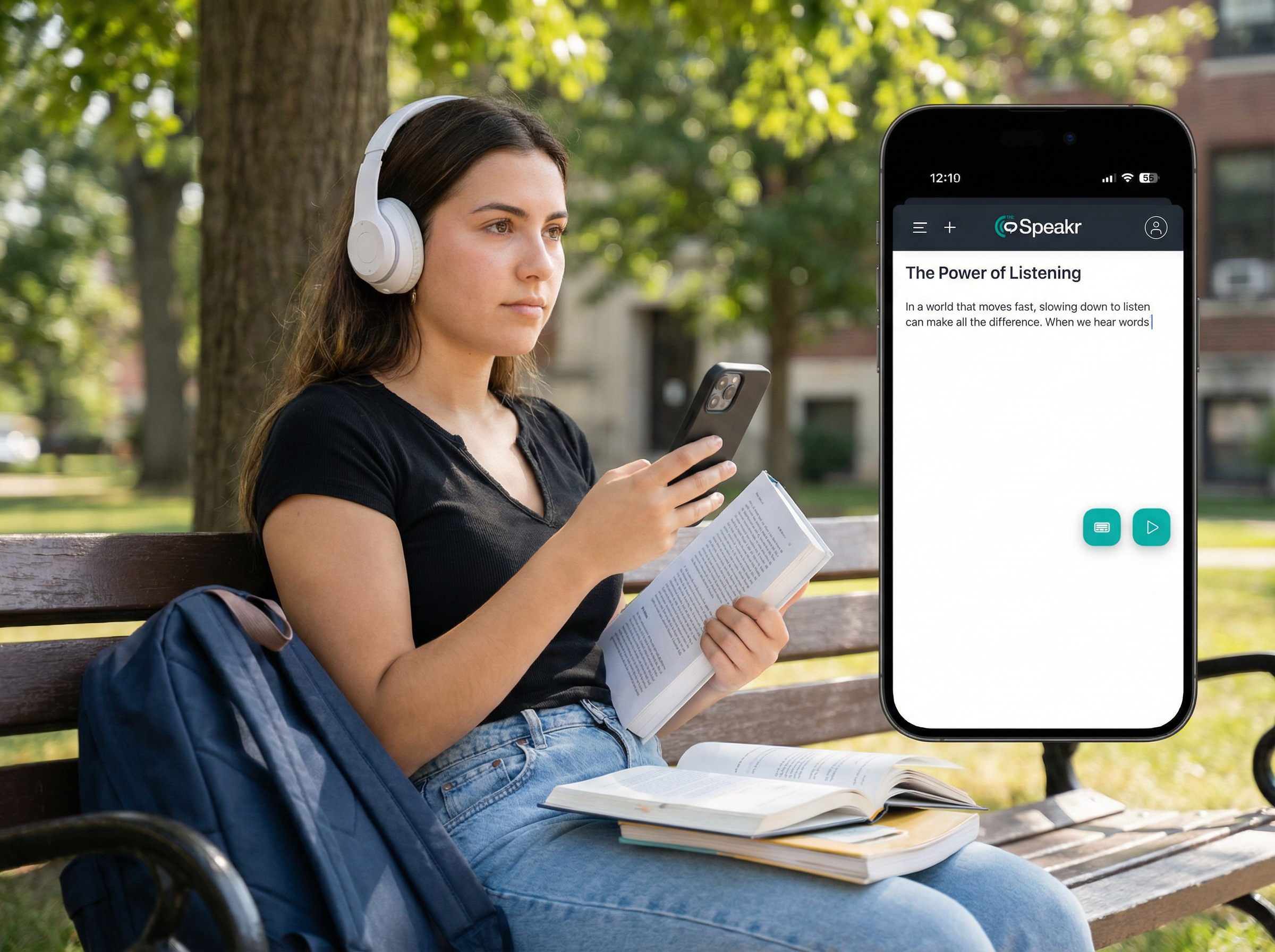
TheSpeakr can support several stages of a research workflow without requiring every source to be manually copied into a text box. It supports pasted or typed text, Read from URL, PDF, Word, and plain-text uploads, OCR for images and scanned PDFs, adjustable speech settings, MP3 downloads, and voices in more than 40 languages.
A simple research workflow with TheSpeakr looks like this:
- Add the source. Paste text, upload a PDF or Word document, use OCR for scanned or image-based material, or provide the URL of a research webpage.
- Test the output. Listen to the beginning before working through a longer document, especially when the source contains multiple columns, scanned pages, or complex formatting.
- Adjust the listening settings. Choose a clear voice and a playback speed that allows you to follow the argument comfortably.
- Listen and identify relevant sections. Use the audio to review prose-heavy content, revisit familiar material, or identify passages that deserve closer attention.
- Return to the original source when precision matters. Check quotations, numbers, citations, tables, figures, and other details directly in the source before using them in your research.
For scanned documents, TheSpeakr can use OCR to recognize visible text before converting it into speech. The Read from URL feature also provides a convenient option for web-based research by extracting readable webpage content, while document uploads make it easy to work with longer PDFs and Word files.
The value of this workflow is not simply turning research material into audio. TheSpeakr gives researchers and students another way to work through written sources while keeping the original material available for detailed analysis, verification, and citation.
Frequently Asked Questions
How can text-to-speech help with research?
TTS can help researchers screen papers, revisit sources, listen to notes, reduce dependence on continuous screen reading, support some accessibility needs, and proofread drafts. It is most useful when combined with visual verification for methods, numbers, quotations, citations, tables, figures, and equations.
Can I listen to research papers instead of reading them?
You can listen to many prose-heavy parts of research papers, particularly abstracts, introductions, literature reviews, discussions, and conclusions. Audio alone is less suitable for sections where visual structure or exact data matters. Important evidence should always be checked in the original document.
Does text-to-speech improve comprehension?
It can for some readers, but it should not be described as a universal effect. A meta-analysis of students with reading difficulties found a modest positive average effect, while a 2026 study showed markedly different outcomes across ADHD-related reading difficulties, dyslexia, and typically developing readers.
Can text-to-speech read scanned research PDFs?
Yes, if the system includes OCR. A scanned PDF may contain images rather than machine-readable text, so OCR is needed to recognize the words. OCR output should still be checked because recognition errors and incorrect reading order can occur.