10 Best Text-to-Speech (TTS) Use Cases for Business
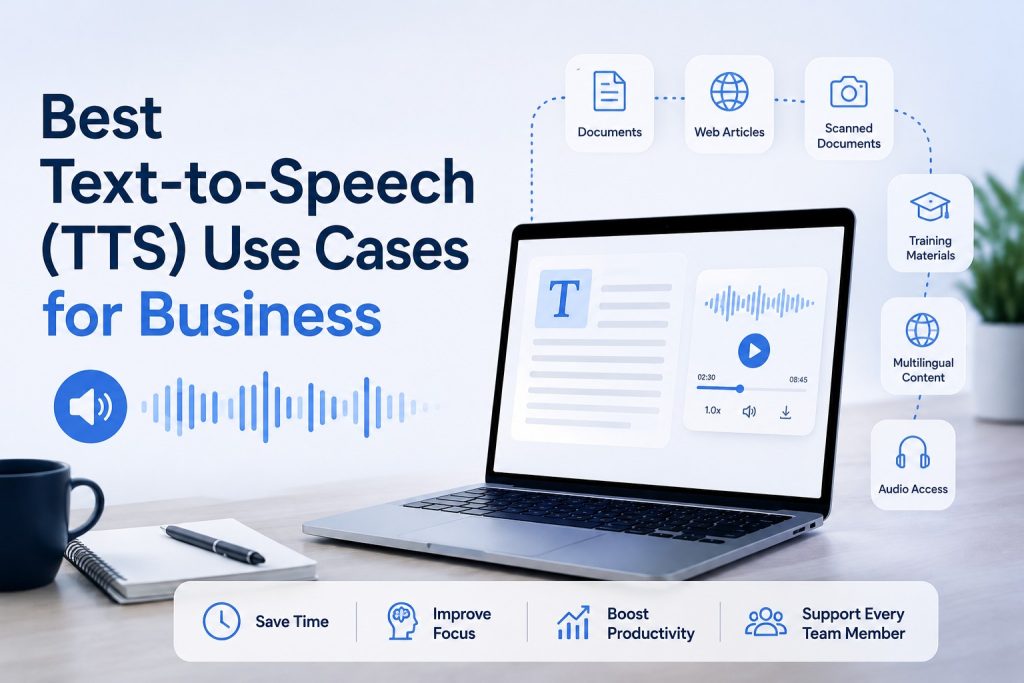
The best text-to-speech use cases for business include listening to reports and PDFs, converting scanned documents into speech, reviewing online research, listening to internal policies and training materials, proofreading business writing, preparing for meetings, accessing multilingual content, and creating audio versions of existing written information.
The most useful text-to-speech application depends on what a business is trying to accomplish. For many teams, the practical value of TTS is not necessarily building voice assistants or automated phone systems. It is making the written information employees already work with easier and more flexible to consume.
Reports, policies, research papers, standard operating procedures (SOPs), webpages, presentations, screenshots, scanned documents, and training materials can all become easier to work through when employees have the option to listen instead of relying entirely on screen reading.
Modern TTS tools can support a variety of source formats, including pasted text, PDFs, Word documents, plain-text files, and webpage content. Some also include optical character recognition (OCR), which can extract text from photos, screenshots, and scanned documents before converting it into speech. Depending on the platform, additional features may include multilingual speech generation, adjustable playback settings, and downloadable audio files.
For businesses, the main benefit is flexibility. Text-to-speech can provide another way to review, absorb, and work with existing written information without fundamentally changing the documents or workflows employees already use.
Quick Answer: What Are the Best Text-to-Speech Use Cases for Business?
Text-to-speech can support a wide range of business workflows, from listening to reports, PDFs, and web research to converting scanned documents with OCR, reviewing policies and training materials, proofreading written content, preparing for meetings, and accessing multilingual information. It can also provide employees with an alternative way to work through long-form content when listening is more convenient than reading from a screen. The most effective use cases are those where TTS complements existing workflows rather than replaces careful review of important information.
Best TTS Business Use Cases at a Glance
| Use case | Best for | Typical input | Typical TTS workflow |
| Reports and PDFs | Managers, analysts, researchers | PDF, Word, text files | Upload the document and listen |
| Scanned documents | Operations, administration, research | Scanned PDFs, photos | Use OCR to extract text, then convert it to speech |
| Screenshots and photographed text | Mobile and document-heavy workflows | Screenshots, images | Extract visible text with OCR and generate audio |
| Web research | Analysts, marketers, researchers | Webpage URLs | Extract readable webpage content and listen |
| Policies and SOPs | HR, operations, compliance | PDF, Word, text files | Convert internal documents into spoken audio |
| Training and onboarding | HR, L&D teams, managers | Manuals, guides, SOPs | Turn training materials into audio for review |
| Proofreading | Writers, marketers, editors | Draft text, Word files, PDFs | Listen to written content to identify errors or awkward phrasing |
| Meeting preparation | Managers, consultants, sales teams | Briefings, reports, notes | Listen to key materials before a meeting |
| Multilingual content | International teams | Translated documents and text | Generate speech in the required language |
| Alternative audio access | Employees who prefer or benefit from listening | Documents, text, webpages | Provide a spoken alternative to visual reading |
Each of these use cases solves a slightly different problem, so the best approach depends on the type of content, the employee’s workflow, and whether the goal is faster review, easier access, or an alternative to screen-based reading.
1. Listen to Business Reports, PDFs, and Long Documents
Businesses produce and receive large amounts of written information, and employees may need to review materials such as:
- market research reports
- financial commentary
- industry publications
- white papers
- proposals
- business plans
- technical documentation
- regulatory materials
- internal reports
- long PDF documents
Reading every document from beginning to end on a screen is not always the most practical approach. Text-to-speech gives employees another option by converting written content into spoken audio, allowing them to read, listen, or combine both methods depending on the task.
Many TTS tools support common business file formats such as PDFs, Word documents, and plain-text files. A typical workflow is simple: upload the document, select a voice and playback speed, and start listening.
This can be particularly useful when someone needs to become familiar with a long document before returning to specific sections for closer review. For example, a manager might listen to an industry report before a meeting, while an analyst could use audio to work through background material before examining key data in more detail.
Text-to-speech should not replace careful visual review when tables, charts, formatting, footnotes, or exact wording are important. Instead, it provides an additional way to work through long-form business content and decide which sections require closer attention.
Best Suited For
- analysts reviewing reports
- consultants working through client materials
- managers catching up on documents
- researchers reviewing source material
- professionals working with long PDFs
- teams with document-heavy workflows
2. Convert Scanned Documents Into Speech With OCR
Not every PDF contains selectable, machine-readable text. Some documents are essentially collections of page images, which means a standard text-to-speech system may not be able to read them directly.
This is common with:
- scanned contracts
- archived documents
- printed reports
- photographed pages
- scanned invoices
- older records
- image-based PDFs
Text-to-speech requires digital text that a system can process. If the words exist only as part of an image, they first need to be detected and converted into machine-readable text.
That is where optical character recognition (OCR) comes in.
OCR identifies visible text within a scanned page, photograph, screenshot, or image-based PDF. Once the text has been extracted, it can then be processed by a text-to-speech system and converted into spoken audio.
A typical workflow looks like this:
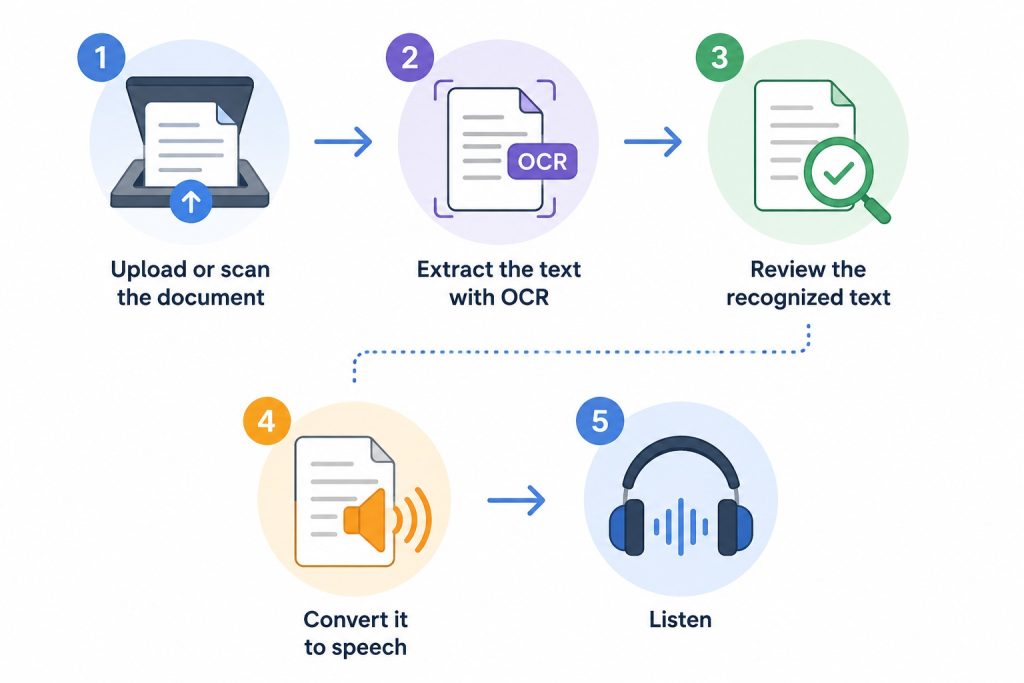
This makes TTS useful for more than clean digital documents. For businesses that regularly work with archived paperwork, scanned materials, photographed pages, or legacy documents, OCR support can be just as important as voice quality.
Best Suited For
- scanned business documents
- archived reports and records
- photographed printed materials
- image-based PDFs
- physical documents captured with a phone
- legacy documentation
OCR is not always perfect. Poor image quality, handwriting, unusual layouts, tables, small text, or low-resolution scans can produce recognition errors. For important business documents, the extracted text should be reviewed before relying on the generated audio.
3. Listen to Screenshots, Photos, and Other Image-Based Text
Not all useful business information arrives in a formal document. Employees often encounter text inside images that cannot be read directly by a standard text-to-speech system.
Examples include:
- screenshots
- presentation slides captured as images
- photographed notices
- images shared by colleagues
- photographed book or report pages
- charts containing text
- mobile screenshots
- scanned handouts
Instead of retyping the content manually, users can rely on optical character recognition (OCR) to detect and extract the visible text. Once the text has been recognized, it can be converted into spoken audio using TTS.
This can be useful in workflows where information arrives in inconsistent formats. For example, an employee might receive a screenshot containing a long announcement, save a mobile screenshot for later review, or photograph a printed page while away from a computer.
OCR-to-speech provides a practical way to turn this image-based content into something that can be listened to instead of manually transcribed or read entirely on screen.
Best Suited For
- screenshots containing important text
- photographed printed materials
- mobile-first workflows
- scanned handouts
- image-based notes or announcements
- information shared in inconsistent formats
The quality of the result depends on the original image. Small text, poor lighting, low resolution, complex layouts, handwriting, or text embedded in charts can reduce OCR accuracy, so important information should always be checked against the original source.
4. Listen to Web Articles and Online Research
A large share of business research now happens online. Professionals may need to review information from many different sources, including:
- industry news
- competitor articles
- research pages
- regulatory updates
- market commentary
- technical documentation
- long-form blog posts
- online guides
- company publications
Reading every source from beginning to end on a screen can be time-consuming, especially when researching a topic across multiple websites.
Some text-to-speech tools can process content directly from a webpage URL. Instead of manually copying an article into another application, users can provide the link, allow the tool to extract the readable text, and convert that content into spoken audio.
A typical workflow is:
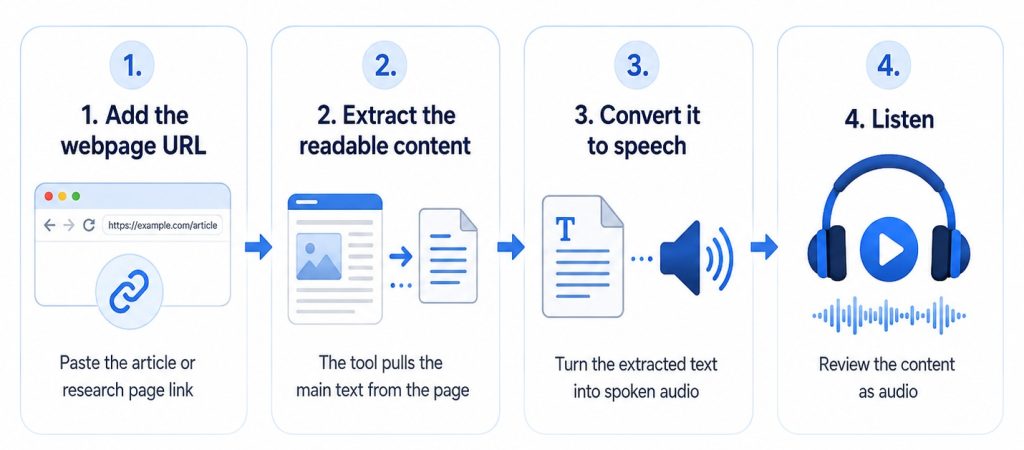
This can be particularly useful when reviewing several long-form sources. A marketer might listen to industry articles, a consultant could work through background research, or a manager might catch up on relevant publications while away from a desk.
Best Suited For
- industry and competitor research
- market and regulatory monitoring
- long-form articles and guides
- technical documentation
- company publications
- research-heavy professional workflows
Not every webpage works equally well as linear audio. Complex tables, interactive elements, charts, navigation menus, or content that relies heavily on visual context may still require direct review on the original page. For important research, users should also return to the source when checking exact wording, data, citations, or other details.
5. Listen to Internal Policies, SOPs, and Company Documentation
Internal documentation is another practical business use case for text-to-speech. Organizations often rely on written materials such as:
- employee policies
- standard operating procedures (SOPs)
- internal manuals
- process documentation
- company guidelines
- safety instructions
- operational updates
- product documentation
These documents already contain the information employees need. TTS simply provides another way to access and review that information.
For example, an employee could listen to an SOP while following the steps on screen, while a manager might review an updated company policy before discussing it with a team. Audio can also be useful when employees need to revisit long or detailed documents without reading every section from a screen.
TTS tools that support common business formats such as PDF, Word, plain-text files, and pasted text can make this workflow relatively simple.
Best Suited For
- employee policies and handbooks
- standard operating procedures
- internal process documentation
- training manuals
- operational updates
- safety and compliance materials
However, internal company documents may contain confidential, proprietary, or personal information. Before uploading sensitive material to any third-party TTS service, businesses should review the provider’s privacy policy, data-processing practices, retention terms, and security measures.
For confidential documents, company security policies and approved software requirements should always take priority over convenience.
6. Support Employee Training and Onboarding
Employee training and onboarding often rely heavily on written materials. Businesses may already have content such as:
- onboarding guides
- employee handbooks
- standard operating procedures (SOPs)
- process instructions
- training notes
- product documentation
- internal knowledge-base articles
- compliance materials
Text-to-speech can provide another way to access this information without requiring employees to read everything exclusively from a screen.
For example, a new employee might listen to sections of an onboarding guide while following along with the written version. A team member learning a new process could listen to an SOP before completing the task or use audio to review key instructions afterward.
TTS can be particularly useful when training materials change frequently. Instead of relying only on prerecorded narration that may become outdated, updated written content can be converted into speech again when policies, processes, or product information change.
Best Suited For
- employee onboarding
- internal training programs
- process and SOP review
- product training
- knowledge-base content
- frequently updated learning materials
Before using generated speech for training, it is important to review content that may be difficult for TTS systems to interpret correctly, including:
- names
- acronyms
- industry terminology
- product names
- numbers
- dates
- percentages
- abbreviations
For safety-critical, legal, medical, financial, or regulatory training, TTS should be treated as a delivery format rather than a substitute for appropriate subject-matter review and verification.
7. Proofread Reports, Proposals, and Business Writing by Listening
Text-to-speech can also be useful during the editing and proofreading process.
When writers spend a long time working on the same document, they often become so familiar with the text that certain mistakes are easy to overlook. Listening to the content instead of reading it silently can make issues such as these easier to notice:
- repeated words or phrases
- missing words
- awkward sentence structure
- unnatural phrasing
- overly long sentences
- unnecessary repetition
- abrupt transitions
Hearing a document aloud provides a different way to review how the writing flows. Sentences that look acceptable on screen may sound confusing, repetitive, or unnecessarily complicated when spoken.
Businesses can use this approach when reviewing:
- reports
- proposals
- articles
- newsletters
- client communications
- internal documentation
- website copy
- white papers
- presentation scripts
A simple workflow is:
- Finish the first draft.
- Paste the text into a TTS tool or upload the document.
- Listen to the content from beginning to end.
- Note any sentences or sections that sound unclear or unnatural.
- Return to the original document and revise them.
- Listen again to important sections after editing.
Text-to-speech does not replace professional proofreading, fact-checking, or subject-matter review. Instead, it provides an additional way to evaluate readability and catch problems that may be less noticeable during silent reading.
8. Prepare for Meetings by Listening to Briefing Materials
Important meetings often require substantial pre-reading. Before a client call, strategy session, board meeting, interview, or presentation, employees may need to review:
- reports
- project updates
- research
- background documents
- proposals
- meeting briefs
- customer information
- internal notes
Text-to-speech can make some of this preparation more flexible by turning written briefing materials into spoken audio.
For example, a consultant might listen to a client briefing before a meeting, a manager could review a project update away from a desk, or a salesperson might listen to approved product information before a customer call.
TTS works particularly well for narrative or text-heavy materials that employees need to review or become familiar with before a meeting.
Best Suited For
- client meeting preparation
- board and strategy meeting briefs
- project updates
- sales call preparation
- interview research
- presentation preparation
Text-to-speech is best used as a review and familiarization tool, not as a replacement for close visual inspection. Charts, calculations, tables, financial figures, and other data-heavy content may still require careful review on screen.
9. Listen to Business Content in Multiple Languages
International businesses often work with written content in more than one language. This may include:
- translated reports
- regional documentation
- multilingual training materials
- localized company communications
- foreign-language research
- translated articles
- international product documentation
Text-to-speech can turn this existing multilingual content into spoken audio, giving employees another way to review information in the languages they work with.
There is one important distinction: Text-to-speech is not translation.
If an English document needs to become Spanish audio, the content must first be translated into Spanish. TTS then converts the approved Spanish text into spoken audio.
A typical workflow might be:
- Translate the original content.
- Review and approve the translation.
- Convert the translated text into speech.
- Listen to the generated audio.
- Check important names, terminology, numbers, and pronunciation.
Best Suited For
- international teams
- multilingual training materials
- localized internal communications
- translated reports and documentation
- regional content review
- foreign-language research
For business-critical content, human language review remains important. A TTS system can generate speech from translated text, but it does not verify whether the translation itself is accurate, appropriate for the intended audience, or consistent with company terminology.
10. Provide Audio as an Alternative Way to Access Written Content
Not every employee accesses written information in the same way. Providing an audio option alongside the original text can give people more flexibility in how they consume business content.
This can be useful for:
- employees who prefer listening
- people experiencing screen fatigue
- mobile users
- employees working through long-form documents
- some users with reading-related accessibility needs
Text-to-speech also has an important role in digital accessibility. Screen readers, for example, can use synthesized speech to communicate digital content to users, although screen readers provide much broader functionality than basic TTS alone, including navigation and interaction with interface elements.
For businesses, this distinction is important. Providing an audio version of written content can expand the ways information is accessed, but text-to-speech alone does not make a website, document, or digital service fully accessible or automatically compliant with accessibility standards.
Web accessibility can involve many additional considerations, including text alternatives for images, keyboard access, captions for video, accessible forms, sufficient color contrast, headings, and other structural and interaction requirements.
TTS is therefore best viewed as an additional way to access written information, rather than as a complete accessibility solution.
Best Suited For
- alternative access to long-form written content
- employees who prefer listening
- mobile and flexible work environments
- document-heavy workflows
- some accessibility-related use cases
What Businesses Should Check Before Using TTS
Just because a document can be processed with text-to-speech does not mean it should automatically be uploaded to any TTS service. Businesses should consider privacy, licensing, and accuracy before incorporating these tools into regular workflows.
Privacy and Confidentiality
Before uploading a document, determine whether it contains:
- personal data
- confidential customer information
- commercially sensitive information
- financial information
- internal strategy
- legally privileged information
- other restricted content
Businesses should review how the TTS provider processes, stores, retains, and protects submitted content before using the service with sensitive information.
Internal security policies should also be taken into account. If a document is confidential or subject to specific data-handling requirements, an approved company tool may be more appropriate than a general third-party service.
Commercial Licensing
Licensing terms can vary significantly between TTS providers.
Some services allow generated audio to be used commercially, while others may restrict commercial use or require a specific subscription, license, or enterprise agreement.
Businesses planning to publish, distribute, monetize, or regularly use generated audio as part of commercial operations should review the provider’s current licensing terms before adopting the tool.
The ability to generate or download an audio file does not automatically mean that the audio can be used for every commercial purpose.
Pronunciation and Accuracy
Before relying on generated speech, test the TTS system with the types of language your organization actually uses.
Useful test content may include:
- people’s names
- company names
- acronyms
- abbreviations
- currencies
- percentages
- dates and times
- decimal numbers
- product names
- technical terms
- industry-specific terminology
Pay particular attention to content where incorrect pronunciation or interpretation could change the meaning.
For important business material, generated audio should be treated as another way to access the underlying text, not as a substitute for reviewing the original information.
How to Measure the Value of TTS in a Business Workflow
There is no single ROI figure that applies to every organization.
Instead, compare the relevant workflow before and after introducing TTS.
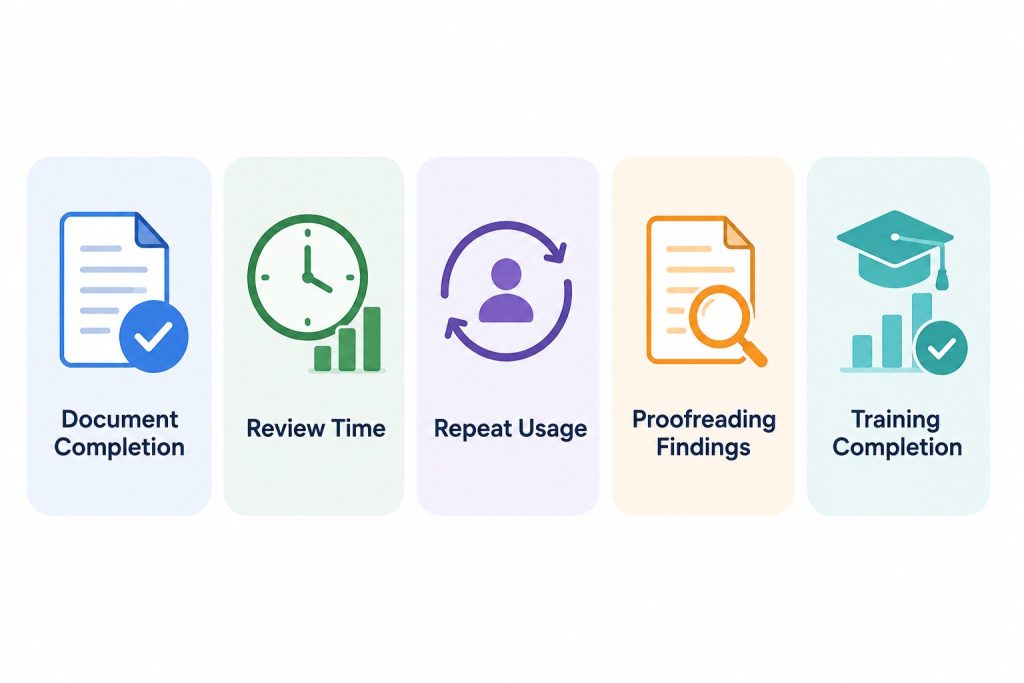
Possible metrics include:
Document Completion
How much of the material employees actually complete when listening is available as an option.
Review Time
Compare the time required to work through similar documents with and without audio.
Repeat Usage
If employees voluntarily continue using audio for reports, research, or training material, that is a useful signal that the workflow provides value.
Proofreading Findings
Track whether listening helps identify wording, repetition, or readability problems during document review.
Training Completion
For training material, assess whether employees actually use the audio option and whether it fits the wider training process.
The purpose of measurement is not to prove that TTS is always better than reading. It is to determine whether providing another way to consume written information improves a particular workflow.
Final Thoughts
Text-to-speech can be a practical addition to business workflows when employees regularly work with reports, PDFs, research, policies, training materials, and other written content.
Its value comes from giving people another way to access and review information, not from replacing reading entirely. The best results come when businesses match TTS to a specific task, choose appropriate content, and consider privacy, accuracy, and licensing requirements.
Used thoughtfully, TTS can make document-heavy workflows more flexible and easier to manage.
Frequently Asked Questions
What are the most common text-to-speech use cases for businesses?
Common business uses for text-to-speech include listening to reports and PDFs, reviewing web research, converting scanned documents with OCR, listening to policies and SOPs, supporting training and onboarding, proofreading written content, preparing for meetings, and accessing multilingual materials.
Can TTS read business PDFs and Word documents?
Yes, if the TTS tool supports document uploads. Text-based PDFs and Word documents can usually be processed directly, while scanned or image-based PDFs may require optical character recognition (OCR) before the text can be converted into speech.
Can text-to-speech read scanned documents?
Yes, when the TTS workflow includes OCR. OCR detects and extracts visible text from scanned PDFs, photos, screenshots, and other image-based documents. The recognized text can then be converted into spoken audio.
Is text-to-speech useful for employee training?
Yes. TTS can provide an audio version of onboarding guides, SOPs, internal manuals, training notes, and other written materials. It can be especially useful when employees want to listen while following along with the original document or reviewing material later.
Can businesses use TTS for proofreading?
Yes. Listening to written content can help reveal repeated words, missing words, awkward phrasing, overly long sentences, and other readability issues that may be less noticeable during silent reading.
TTS should complement normal editing, proofreading, and fact-checking rather than replace them.
Can TTS help employees prepare for meetings?
Yes. Employees can use TTS to listen to reports, briefing documents, project updates, proposals, and other pre-reading materials before meetings.
It works best for text-heavy content. Tables, charts, calculations, and other visually complex information may still require direct review.