Narakeet Review 2026: Real Workflow Testing and Feature Breakdown
Narakeet is an AI text-to-speech platform built for turning scripts, presentations, and documents into downloadable audio or narrated videos. It focuses heavily on PowerPoint-to-video workflows, multilingual narration, and pay-as-you-go pricing rather than subscription-heavy AI voice generation.
The platform is especially popular for e-learning, training content, YouTube narration, and batch production workflows where speed and simplicity matter more than cinematic voice realism. However, it is less suited for voice cloning, emotional storytelling, or real-time streaming applications.
In this review, we tested Narakeet’s voices, uploads, exports, pricing, free-plan limits, and workflow experience to see where the platform performs well — and where its limitations become more noticeable compared with tools like ElevenLabs, Murf AI, Speechify, and The Speakr.
What Is Narakeet?
Narakeet is a browser-based AI voice platform designed primarily for narrated video and presentation workflows. Users can upload scripts, PowerPoint presentations, Markdown files, and text documents, then generate downloadable audio or MP4 videos using AI narration.
One of Narakeet’s biggest differentiators is its presentation-to-video automation. The platform can turn slide decks into narrated videos with subtitles, making it especially useful for e-learning teams, internal training, product demos, and structured educational content. It also supports API access, subtitle exports, batch rendering, and multilingual voice generation for larger production workflows.
At a glance:
- Category: AI text-to-speech and presentation-to-video generation
- Pricing model: Pay-as-you-go credits with optional subscriptions
- Voice library: ~900 voices across ~100 languages and accents
- Supported inputs: text, PowerPoint, Markdown, Word, EPUB, and text-based PDFs
- Export formats: MP3, WAV, M4A, MP4, SRT, and VTT subtitles
- Free plan: available, but heavily limited for production use
Key Narakeet Features
Platform combines AI voice generation with presentation-to-video automation, subtitle exports, multilingual narration, and developer-focused workflow tools. While the platform is strongest for structured content production, its feature set is broader than many lightweight browser-based TTS tools.
Key features include:
- around 900 voices across roughly 100 languages and accents
- text-to-audio generation with MP3, WAV, and M4A exports
- PowerPoint, Google Slides, and Keynote-style presentation-to-video workflows
- markdown-to-video tools for technical creators and educators
- subtitle and closed-caption exports, including SRT and VTT files
- REST API access, SSML support, batch outputs, and command-line tools
- multilingual voices that can help maintain a more consistent voice identity across languages
The voice library is one of Narakeet’s main selling points, but the depth varies by language. English has the strongest selection, with many accents and voice options, while some other languages have only a small number of available voices. This makes Narakeet especially practical for English-first content, e-learning, corporate training, and technical narration, but users producing in lower-resource languages should test the available voices before committing to a paid plan.
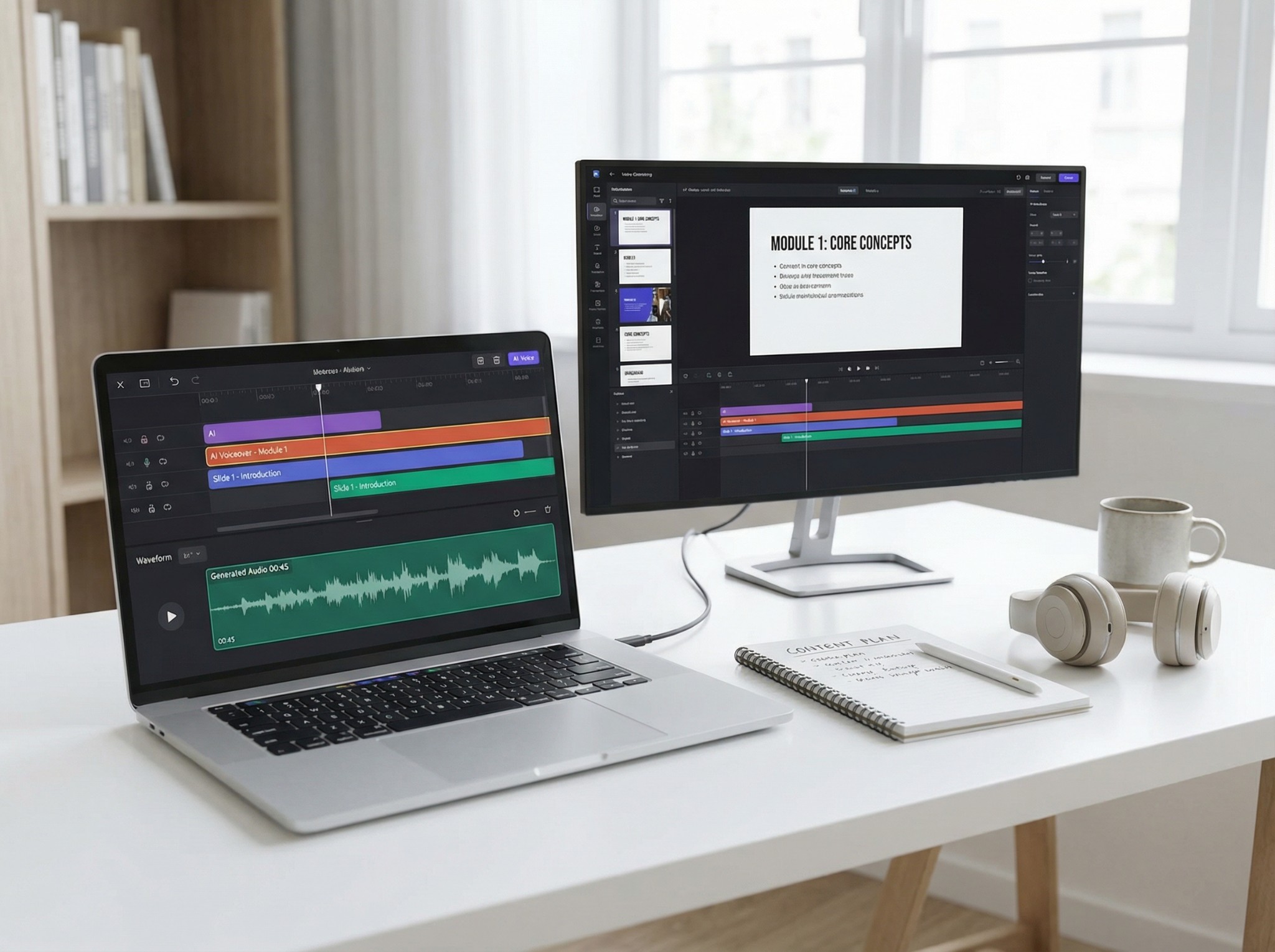
Narakeet’s most distinctive feature is its presentation-to-video workflow. Users can upload slide decks, add narration from speaker notes or slide text, and export a finished MP4 with optional subtitles. The markdown-to-video feature is also useful for developers, educators, and technical teams who want to build narrated videos from structured text files instead of editing everything manually in a video editor.
Narakeet Pricing and Plans
Most Narakeet reviews mention the pricing tiers, but fewer explain what those prices actually mean in real-world use. Narakeet uses a pay-per-minute system where users purchase credits upfront instead of committing to a mandatory monthly subscription. One of the platform’s biggest advantages is that unused credits do not expire, making it more flexible for creators and teams with irregular production schedules.
Narakeet’s free plan is best viewed as a testing environment rather than a full production workflow. During hands-on testing, we confirmed that free accounts can generate up to 20 media assets, but narration length is heavily restricted. Longer scripts quickly trigger upgrade requirements, especially for audio projects. The free tier works well for experimenting with voices, testing exports, and previewing workflows before paying for commercial usage.
Narakeet charges in one-second increments against pre-purchased minute credits.
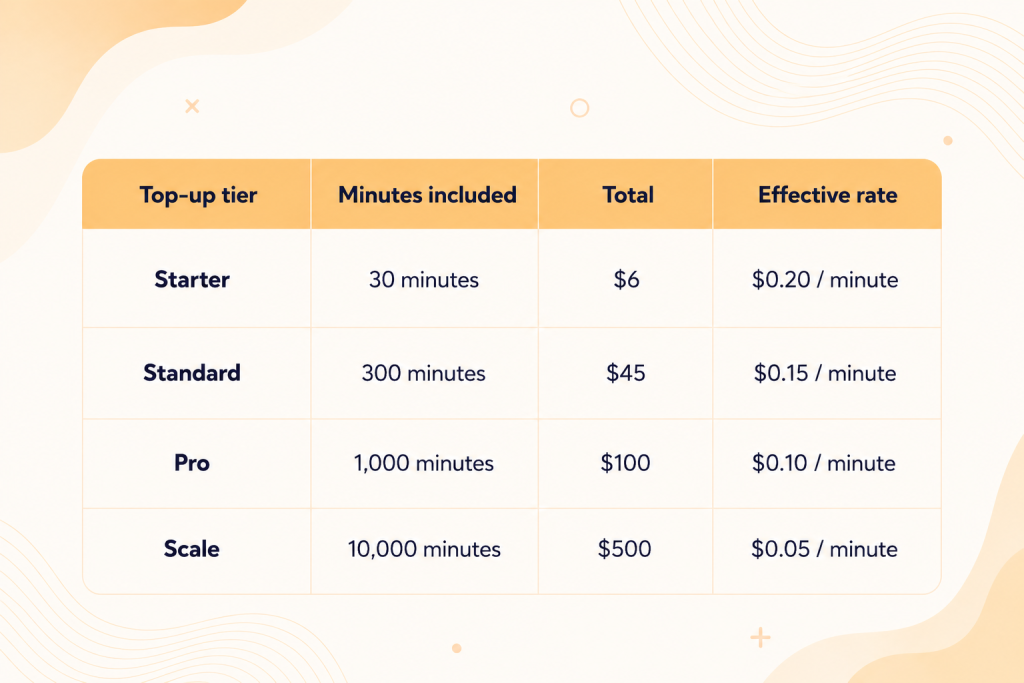
Any paid tier unlocks commercial-use rights, larger uploads, longer narration limits, API access, and advanced workflow support.
Narakeet also offers subscription plans with included monthly minutes, but the platform feels more optimized around top-up credits. For independent creators, educators, and small businesses, usage-based credits are often the better value because minutes roll over indefinitely instead of resetting every month. This makes Narakeet more cost-predictable than many subscription-heavy AI voice platforms.
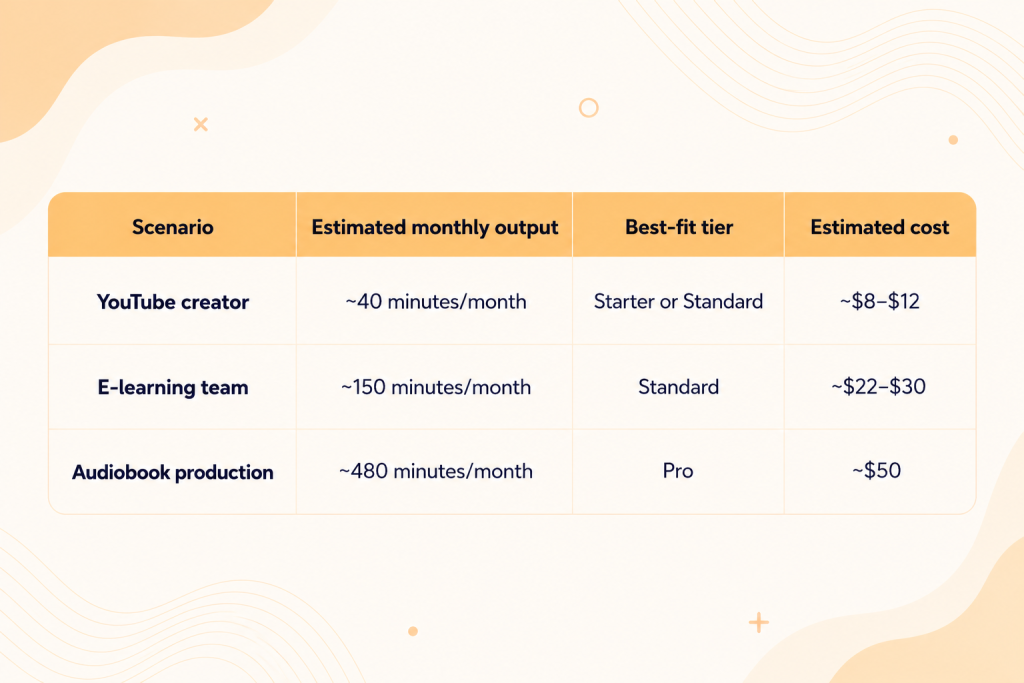
Compared with professional human narration, Narakeet is dramatically cheaper. Professional voice-over work often costs hundreds of dollars per finished hour, while Narakeet reduces that cost to only a few cents per minute. The trade-off is voice realism and emotional performance rather than pricing efficiency.
How We Tested Narakeet
This review is based on hands-on testing of Narakeet in May 2026 using a fresh free account, the official Narakeet documentation, public pricing pages, and direct comparisons with competing TTS platforms, including ElevenLabs, Murf AI, Speechify, and The Speakr. The review focused primarily on real workflow usability rather than marketing claims, especially for users creating narrated videos, presentations, and long-form audio content.
Testing included:
- browser-based text-to-speech generation
- PowerPoint-to-video workflows
- markdown-to-video generation
- multilingual voice testing
- PDF, DOCX, and text uploads
- scanned PDF / OCR testing
- dictation feature testing
- MP3 and subtitle exports
- speed and volume adjustments
- free-plan limitation testing
- API and developer tool analysis
We tested multiple English voices and accents, previewed multilingual voices, explored export settings, and evaluated how Narakeet handles real production workflows. Particular attention was given to usability for e-learning, corporate training, YouTube narration, and presentation automation rather than cinematic voice realism alone.
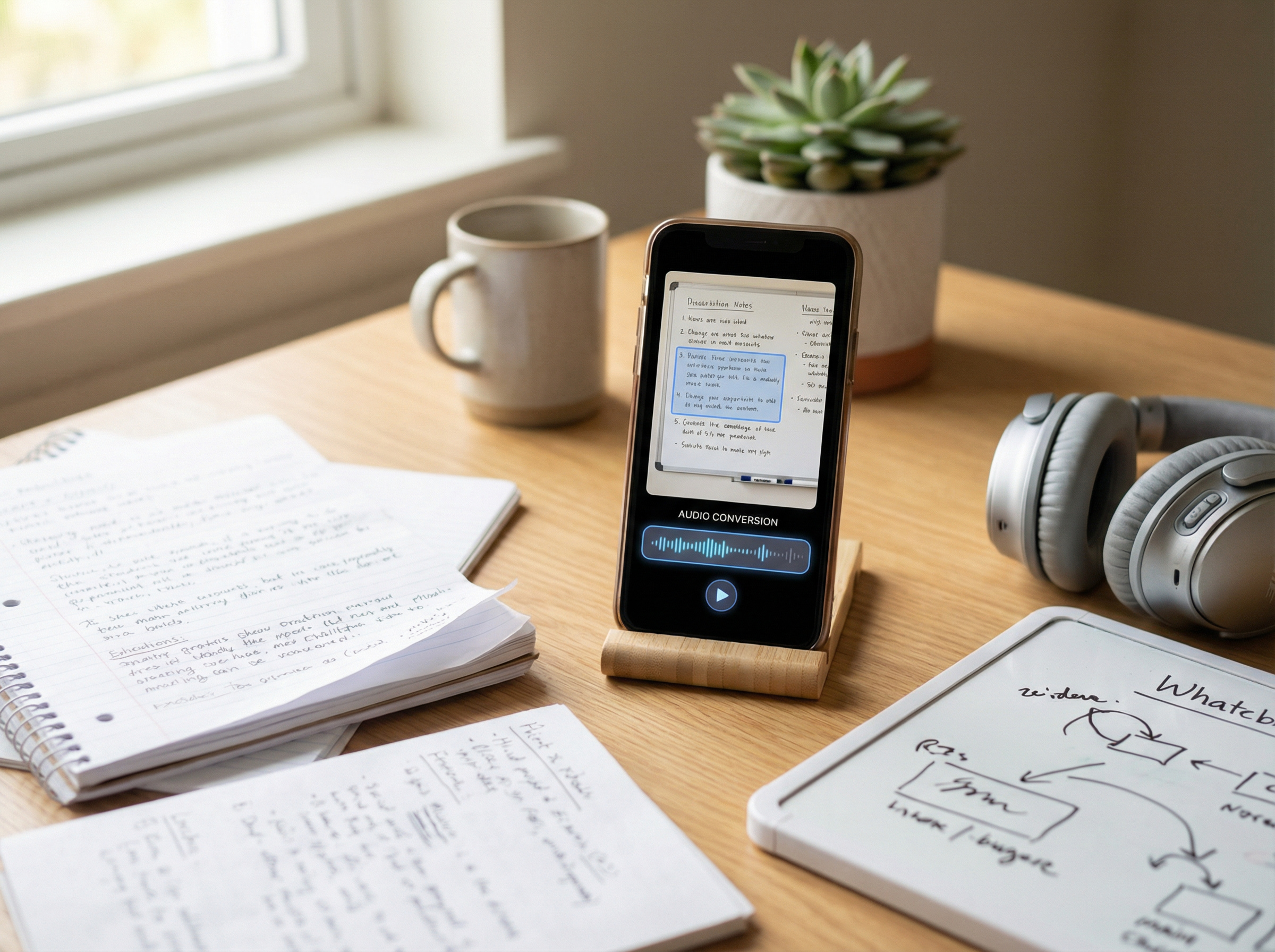
Part of the testing focused specifically on upload compatibility and accessibility-related limitations. Text-based PDFs imported successfully, while scanned image-based PDFs failed because Narakeet does not currently support OCR processing. We also tested the browser dictation feature, which accepted microphone permissions during testing but failed to transcribe spoken input consistently. In addition, we confirmed that the free plan restricts narration text to roughly 1 KB per project, blocking longer scripts unless users upgrade to a paid commercial account. Smaller scripts rendered successfully and counted toward the platform’s 20 free media generations.
Narakeet Voice Quality
Narakeet’s voices are clear, consistent, and production-ready for informational content, especially in English. They work well for explainer videos, e-learning, internal training, product walkthroughs, and faceless YouTube channels where clarity matters more than emotional delivery. However, the voices still sound noticeably synthetic compared with newer premium AI voice models.
Its multilingual voices are functional across many languages, but they prioritize pronunciation and readability over emotion or personality. This makes Narakeet suitable for training materials, technical narration, and document-to-audio workflows, while marketing campaigns, branded storytelling, and cinematic narration may feel flat or less engaging outside English.
Narakeet also has several limitations compared with leading AI voice platforms:
- No standard-user voice cloning
- No real-time or streaming playback
- Limited emotional expression and character range
- Less natural sounding than platforms like ElevenLabs
- Better suited for batch production than interactive experiences
Best Use Cases for Narakeet
Narakeet works especially well for e-learning, corporate training, and presentation-based content. Its slide-to-video workflow and pay-per-minute pricing make it a practical option for onboarding materials, compliance training, internal communications, and product demos. Teams can quickly update narrated videos by replacing slides or scripts without hiring voice actors or rebuilding projects from scratch. For YouTube explainers, listicle videos, and faceless channels, Narakeet also offers a cost-effective workflow with predictable billing and simple batch production.
The platform is less suited for highly emotional or performance-driven narration. While Narakeet can convert EPUB, Word, and text-based PDF files into audio, its voices are better for informational content than character-heavy storytelling or cinematic audiobook production. Technical guides, non-fiction audiobooks, and educational narration work well, but users looking for expressive AI voices or dramatic delivery will usually prefer alternatives like ElevenLabs.
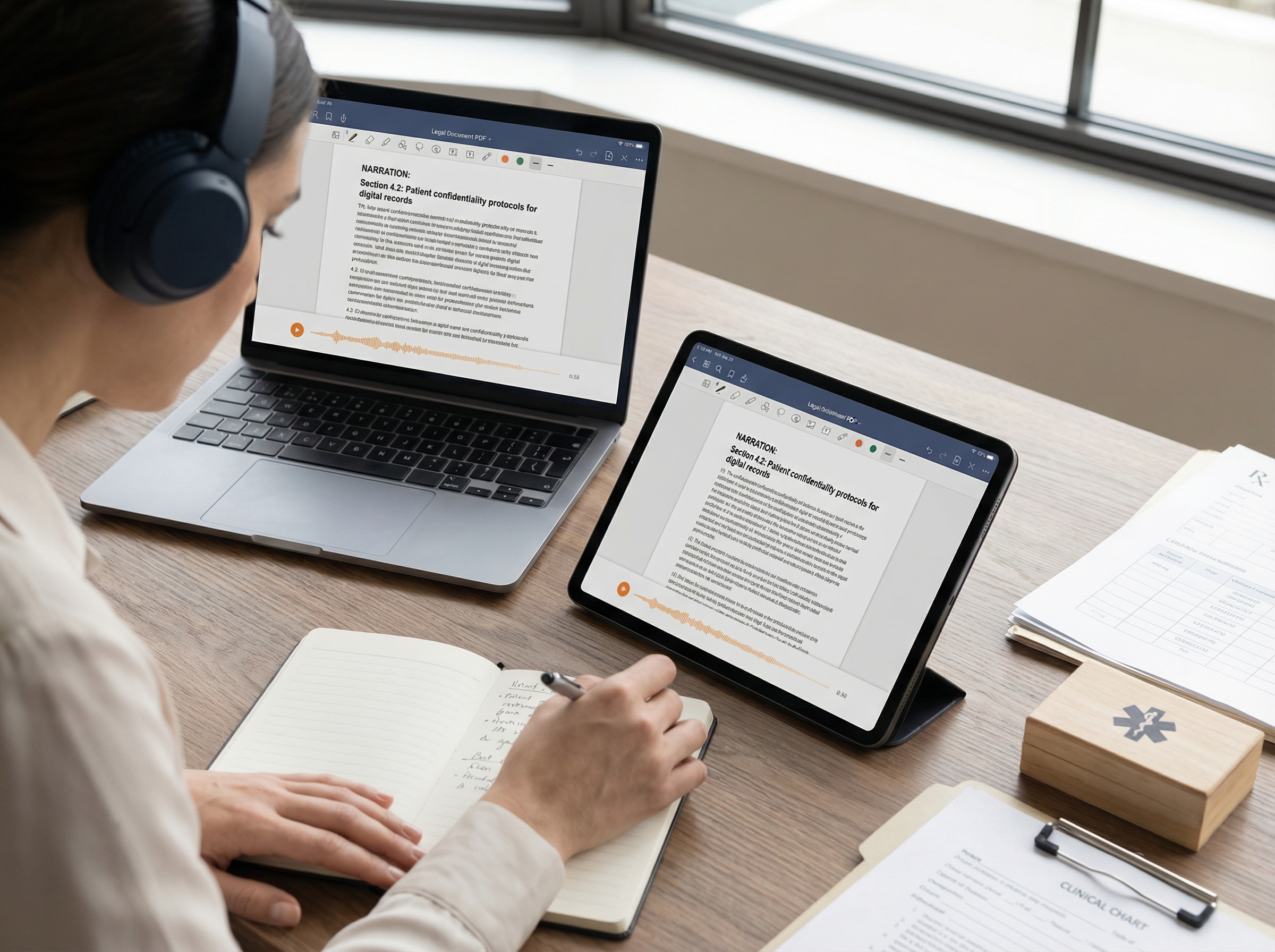
Narakeet can also support accessibility-focused workflows by turning written content into downloadable audio narration. This makes it useful for static accessibility content, training materials, and text alternatives. However, because Narakeet does not support real-time or streaming playback, it is not designed for live accessibility tools, interactive websites, or instant screen-reader-style experiences where audio must begin immediately.
Narakeet vs the Modern TTS Field
Narakeet occupies a different niche from most modern AI voice platforms. Rather than focusing on cinematic realism or live AI voice experiences, it prioritizes fast narration workflows, presentation automation, and predictable pricing for structured content production.
Compared with ElevenLabs and Murf, Narakeet trades realism and voice control for speed and simplicity. ElevenLabs is stronger for cinematic narration, emotional delivery, and voice cloning, while Murf offers more detailed editing for commercial voice-over projects. For a broader comparison of leading platforms, see our guide to the best text-to-speech tools in 2026, which compares the top AI voice solutions across narration quality, accessibility, and content production workflows.
Narakeet performs best when the goal is to quickly turn completed scripts or PowerPoint presentations into downloadable narrated content without subscription-heavy pricing or advanced production work.
Narakeet Pros and Cons
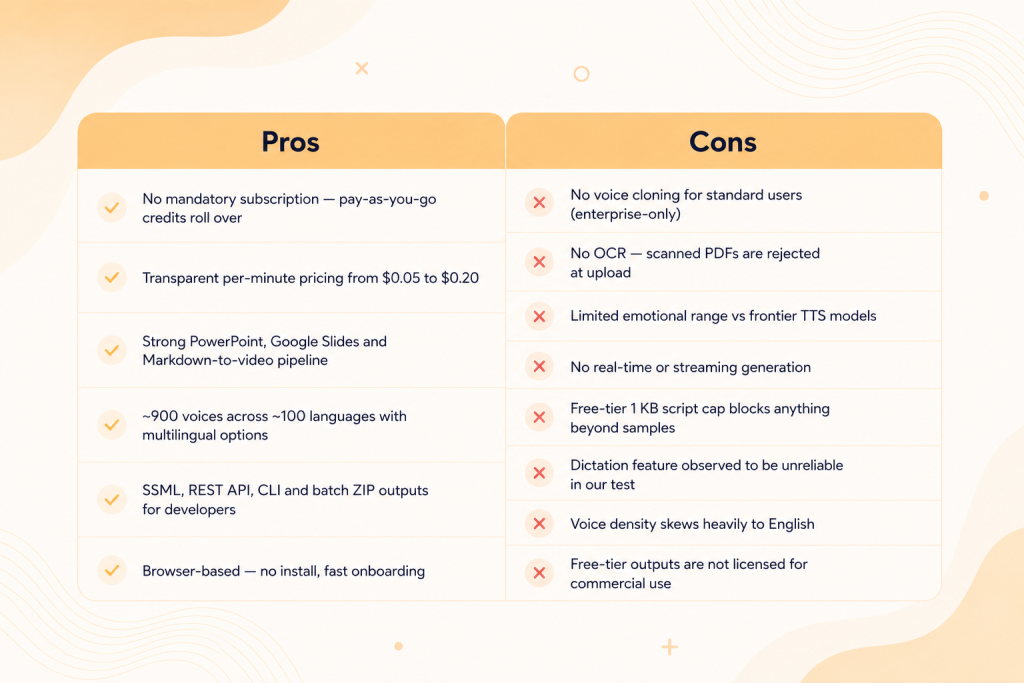
Here’s a quick overview of where Narakeet performs well — and where its limitations become more noticeable compared with newer AI voice platforms.
Is Narakeet Worth It?
Narakeet is worth it for users who need affordable text-to-speech and presentation-to-video automation with predictable pay-per-minute pricing. While it does not offer the most realistic AI voices, voice cloning, or real-time streaming playback, it works very well for batch content creation, PowerPoint narration, and multilingual business workflows. Users focused on ultra-realistic narration or emotional voice performance may prefer alternatives like ElevenLabs.
FAQ
- Is Narakeet free to use?
Yes, but the free plan is limited. Paid plans start at $6 for 30 minutes of generation. - Is Narakeet safe to use?
Yes. Narakeet is a legitimate SaaS platform with secure HTTPS access, though it does not publicly list certifications like SOC 2. - How much does Narakeet cost in 2026?
Plans start at $6 for 30 minutes. Larger plans reduce the per-minute cost, and credits never expire. - Does Narakeet support voice cloning?
Not for standard users. Voice cloning is only available for enterprise customers on request. - How many languages and voices does Narakeet support?
Narakeet offers around 900 voices across roughly 100 languages and accents. - Can I use Narakeet voices commercially?
Yes, but only with a paid plan. The free tier does not include commercial rights. - Can Narakeet convert PowerPoint to video?
Yes. Narakeet can turn PowerPoint presentations into narrated MP4 videos. - Does Narakeet support PDF files and OCR?
It supports text-based PDFs, but not scanned PDFs or OCR processing. - Is Narakeet better than ElevenLabs?
Narakeet is better for presentation and batch workflows, while ElevenLabs is better for realistic AI voices and voice cloning. - Does Narakeet offer real-time or streaming text-to-speech?
No. Narakeet only supports batch generation, not live or streaming TTS. - Does Narakeet have an API?
Yes. Narakeet provides a REST API with SSML support and automation tools. - What is the best alternative to Narakeet?
It depends on your needs. ElevenLabs is best for realism, Synthesia for avatars, and The Speakr for browser-based AI narration.